SQL Server Management Studio (SSMS) is a graphical tool for connecting to SQL Server, creating databases, and managing database structures. It is especially useful with a local SQL Server instance, where visual table designers and modeling tools are available. section 4.2.2 section 4.2.3
A practical SSMS workflow for the MyBGList API is:
- Install SSMS through the SQL Server wizard or as a standalone package; no special settings are required. section 4.2.3
- Connect to the local Database Engine using <MACHINENAME>\SQLEXPRESS or .\SQLEXPRESS and the authentication mode selected during installation. section 4.2.4
- Right-click Databases, choose New Database, name it MyBGList, and accept the default core settings. section 4.2.4
- Create a server login and a database user so the web API can authenticate and receive precisely scoped authorization. section 4.2.4
- Repeat the process for production, use a different production password, and avoid exposing port 1433 unless inbound access is tightly restricted. section 12.3.6
Creating the MyBGList database
After connecting to .\SQLEXPRESS in SSMS, right-click the Databases folder, select New Database, enter MyBGList, and click OK. The new database appears with folders such as Tables and Views. section 4.2.4
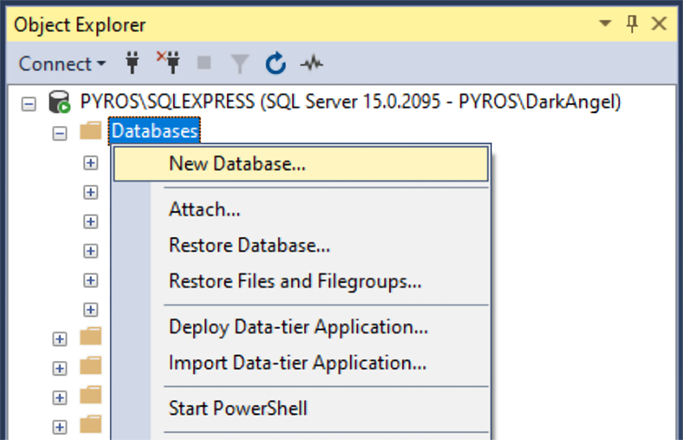
Use the SSMS database-creation figure to identify the Databases folder and New Database command. section 4.2.4
