A color can look vivid in a CSS picker yet appear less vivid on another screen. One reason is gamut: the range of colors a device can display or a color notation can represent. Standard RGB, or sRGB, covers familiar screen colors but only part of the colors the human eye can perceive. It was once the limit for most consumer devices; many newer devices support wider gamuts. section 11.2.1
Figure 11.9 Representation of display gamut color ranges
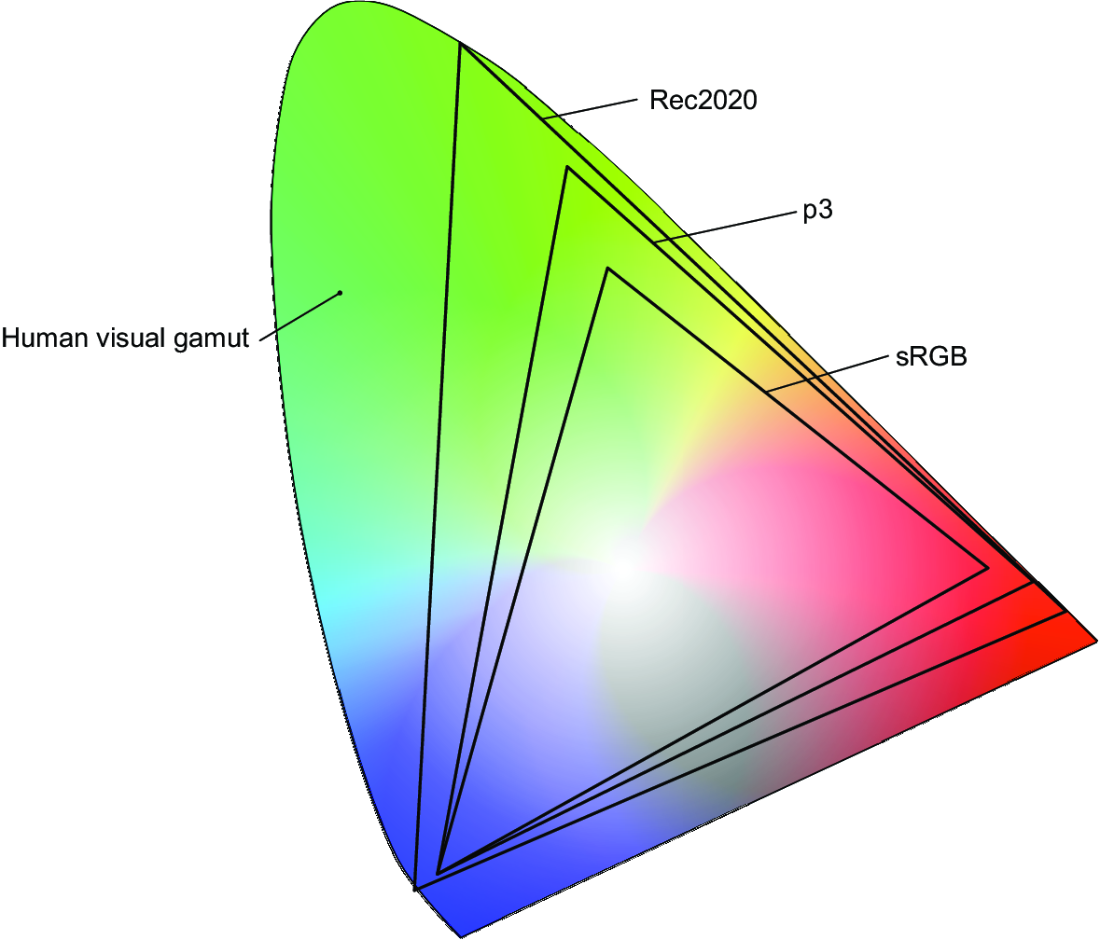
Compare the depicted color ranges: Display p3 extends beyond sRGB, while Rec2020 extends farther. The figure also shows visible colors outside sRGB. section 11.2.1
Gamut describes a range; a color space describes an arrangement of colors. This distinction matters when choosing CSS values. Hex and `rgb()` can express only sRGB colors, even when the screen can display more. Wider-gamut hardware alone cannot make those notations express a wider range; newer CSS color syntaxes are needed. section 11.2.1 section 11.2.2
The limit of a familiar color value
`#2097c9` and `rgb(32 151 201)` specify the same color using hex and decimal channels. Both remain within sRGB. `hsl(198deg 73% 46%)` is an equivalent, more human-readable way to describe that example color; changing notation is not, by itself, a way to make the original color more vivid. section 11.2.2
When a design may use colors beyond sRGB:
- Check support with `@media (color-gamut: p3)` before applying styles intended for p3-capable browsers and hardware. The query also supports `srgb` and `rec2020` values. section 11.2.1
- Inspect a wide-gamut color in the browser’s color picker. Its thin white line marks the sRGB limit: colors beyond it may be available in Display p3, but an sRGB monitor shows only its closest approximation. section 11.3
Figure 11.14 Use the color picker dialog to fine-tune colors.
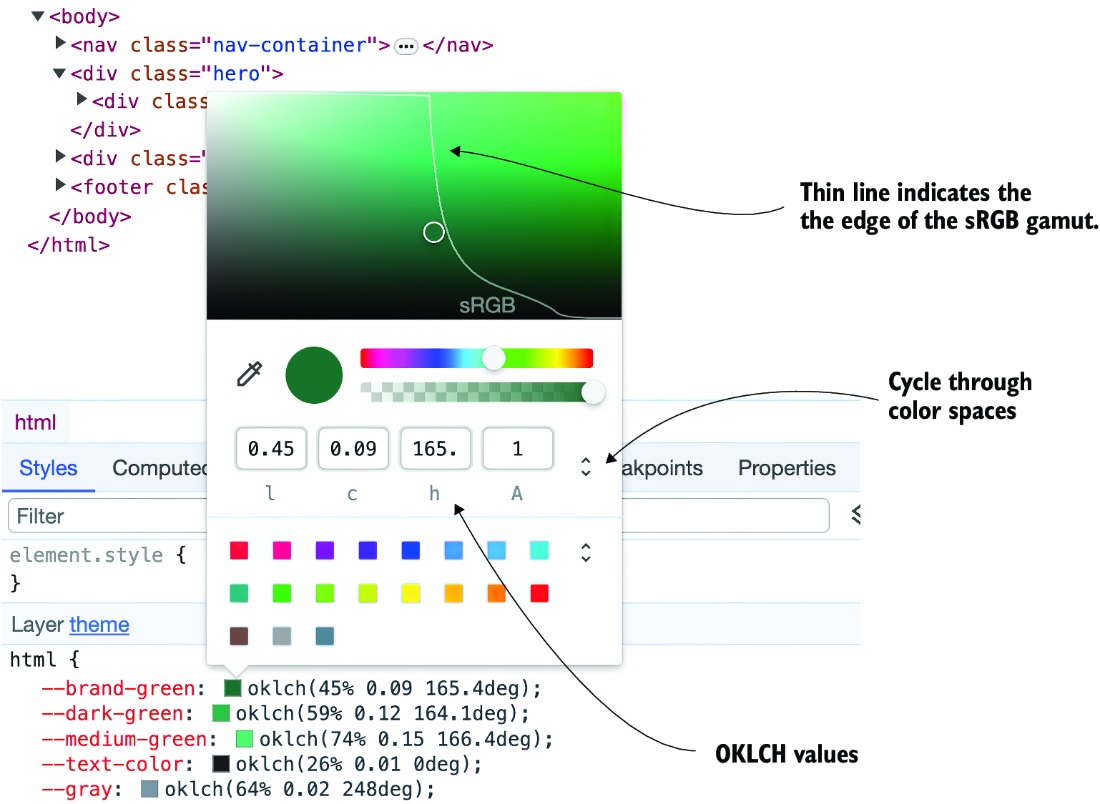
The color picker provides a practical place to fine-tune a color and, in a wide-gamut color space, see where the sRGB boundary falls. section 11.3
