A static web page is HTML content stored for a browser to display, rather than content generated for each request. In a Spring app, the setup pairs an HTML file with a controller action that connects a request to that page. section 7.3
To add a simple page:
- Write the HTML and place it in the Maven project’s resources/static folder. section 7.3
- Add a controller action for the requested path and have it return a reference to the page. section 7.3
A welcome page
The example stores a home.html document with a “Welcome!” heading. A MainController action mapped to /home returns “home.html”; the first version adds no request-specific logic. section 7.3
Figure 7.15 The steps for adding a static web page to your application. Add the HTML document containing the information the browser will display, and then write a controller with an action assigned to it.
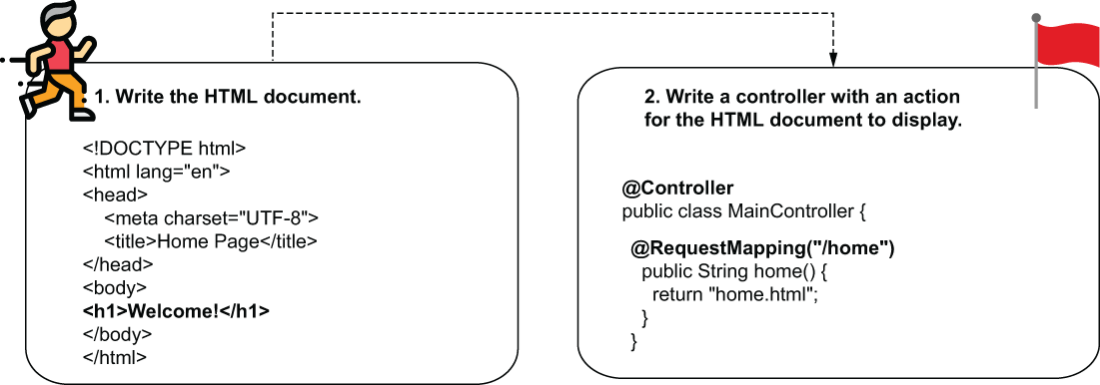
The diagram shows the two setup steps: add the HTML document, then write a controller action for it. section 7.3
