A storage driver implements the filesystem and metadata operations that store image layers and container filesystems. It uses Linux layered, copy-on-write filesystems to stack image layers and add a writable container layer. section 5.1.2 section 6.2.2
Podman storage-driver behavior includes:
- overlay is the default and corresponds to overlay2 in Podman; rootful containers generally use native Linux overlay mounts. section 5.1.2 section 6.2.2
- Rootless containers may use native overlay on sufficiently recent kernels or fuse-overlayfs through the mount_program option. section 5.1.2 section 6.2.2
- vfs works broadly by copying complete layers, but consumes more disk space and is slower; overlay is the recommended general choice. section 5.1.2
Inspect the active driver
Run `podman info` and inspect `graphDriverName`, `graphOptions`, and `graphRoot`; a typical configuration reports `overlay` and a storage path such as `/var/mystorage`. section 5.1.1
Figure 5.1 Layered images stacked on one another are reassembled and mounted using container/storage.
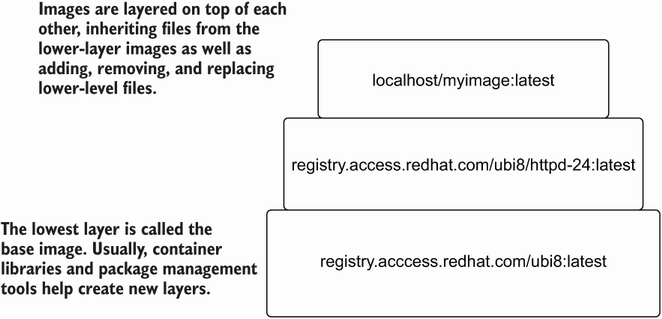
Layered images are reassembled and mounted by container/storage. section 5.1.2
