Storyboarding plans animation as a cheap sequence of rough visual panels. Each panel shows part of the experience so the sequence has a clear start, middle, and end before coding begins. section 7.3
Create a quick storyboard for an interactive UI element:
- Draw the element in its resting state. section 7.3.1
- Sketch the interaction state, using arrows to show movement or changes in size, shape, or color. section 7.3.1
- Show the final state that confirms the action succeeded. section 7.3.1
- Use rough sketches to gain agreement before investing time in code, then check whether the animation supports orientation and accessibility. section 7.3.1 section 7.5
Animated button
Draw three panels: a button at rest, a button moving upward on hover with an arrow, and a pressed button whose color or text changes to confirm success. Finish the sketch in a few minutes rather than polishing it. section 7.3.1
Figure 7.7 An example of how low fidelity a storyboard can be as long as it conveys the idea or story you’re trying to animate
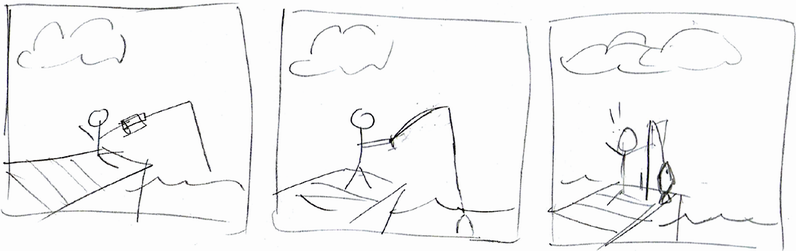
Use the figure to see how little visual detail a storyboard needs when its intended movement and sequence remain clear. section 7.3.1
