The HTML <strong> element marks words as more important than surrounding text. Use it when emphasis communicates meaning, not merely when text should look bold. section 8.1.3
Choose the treatment that matches the purpose:
- Use <strong> when the content has greater importance or urgency. section 8.1.3
- Use <b> to draw visual attention without adding semantic importance. section 8.1.3
- Use CSS font-weight with a generic HTML element when bold styling is purely aesthetic. section 8.1.3
Important message
A warning or other highly important message can wrap its key words in <strong>, allowing the markup to express why the text is emphasized rather than only changing its appearance. section 8.1.3
Figure 8.12 The contents of the bolded text are extremely important, and the emphasis here is necessary to convey importance.
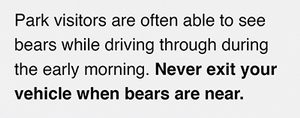
View the figure illustrating bold text whose contents require emphasis because they convey extreme importance. section 8.1.3

