A theme’s style.css file supplies the WordPress site’s default visual presentation. It defines global choices such as colors, layout, and heading styles, placing the theme below browser defaults in the CSS cascade. section 7.2.5 section 6.4
Use the theme stylesheet as a reference, not as the normal place for custom changes:
- View it through Appearance > Theme File Editor when you need to inspect the theme’s CSS. section 7.2.5
- Add personal CSS through Appearance > Customize > Additional CSS, which overrides browser defaults and theme rules. section 7.2.5
- Avoid editing style.css directly because theme updates can overwrite those changes; Additional CSS remains intact. section 6.4
A safer heading-color change
Suppose the theme makes h1 headings black but the site design calls for dark blue. Leave style.css unchanged and place the new h1 rule in Additional CSS so the custom color overrides the theme while surviving updates. section 7.2.5 section 6.4
Figure 7.5 The four stages of the cascade
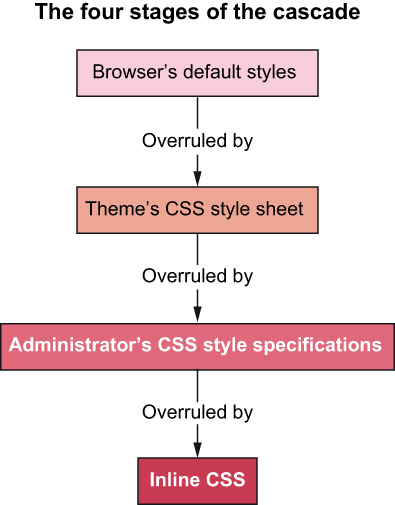
The cascade diagram shows how browser defaults, the theme stylesheet, Additional CSS, and inline CSS override one another. section 7.2.5
