Azure Table Storage is a fast, inexpensive, no-frills service for structured nonrelational data. It organizes data into tables, which contain entities similar to database rows; each entity holds key-value properties. section 5.6
Table Storage is schemaless: tables do not enforce one predetermined format. Each entity defines its own data structure, so one table can contain different formats—but keeping that data organized becomes your responsibility. section 5.6.1
An entity uses three important pieces of information:
- Partition key: identifies the entity’s partition and helps determine where Azure stores it physically. section 5.6.2
- Row key: supplies the other half of the entity’s primary key and must uniquely identify the entity within its partition. section 5.6.2
- Properties: store the entity’s application data as named key-value pairs. section 5.6 section 5.6.2
Banning Books inventory
A book business can keep searchable information about technical books and banned titles in a Books table. PowerShell creates the table, then adds an entity with partition key bookkey1, a generated GUID row key, and properties such as title and bookid. section 5.6
Figure 5.16 The entity, property, and key-value pairs of a table in Table Storage
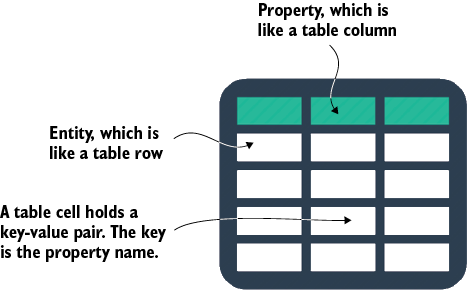
Inspect the entity, property, and key-value structure that underpins a Table Storage table. section 5.6
