A test condition asserts that a test result has an expected property. Treat it as part of the test design, not as decoration: a wrong expected value can make correct code appear broken. section 7.5
Configure conditions against the result sets produced by the code under test:
- Use scalar value conditions to check specific values, such as Column 2 = 1.7876, Column 5 = 195, and Column 6 = 6.85. section 7.5
- Use a Row Count condition when the expected result is a number of rows; the example expects 42 rows in the second result set. section 7.5
- Review failures critically: an incorrect expected result or condition can be the defect. section 7.5
A stored-procedure test
A unit test executes a stored procedure that adds a sales order, using CampaignID 27587, Budget 10, and Detailed set to 1. Scalar conditions check returned values, while a Row Count condition checks that the second result set contains 42 rows. section 7.5
Figure 7.6 Creating a unit test
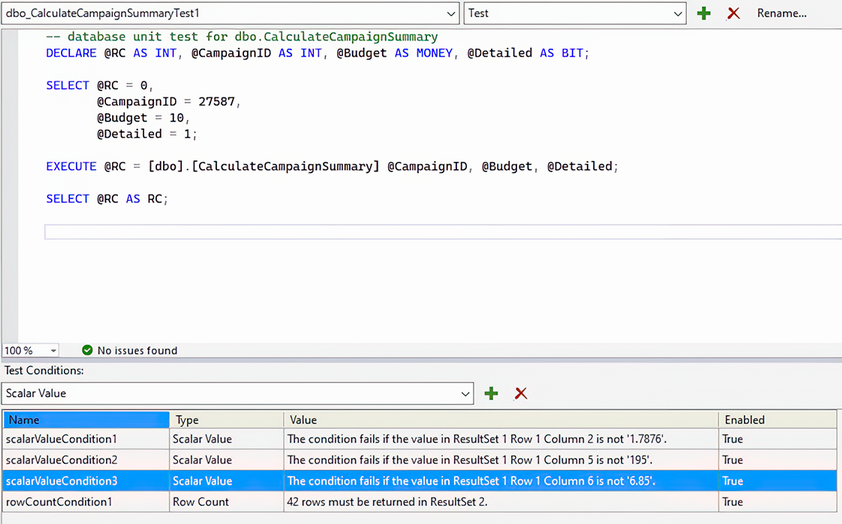
Inspect the test-code windows and configured conditions while building the unit test. section 7.5
