A tint is a lighter variation of a hue, created by adding white or increasing lightness. Derived tints expand a palette while keeping the interface visually cohesive and less overwhelming. section 9.1.1 section 9.9
Use tints to make practical color decisions:
- Start with a primary color, then create lighter variations for additional UI elements without abandoning the palette’s overall relationship. section 9.1.1 section 9.2.1
- Use tints selectively when a color scheme needs contrast between items, while checking that the resulting colors remain readable. section 9.2.1 section 9.9
- Do not rely on color alone to communicate information; pair colored elements with patterns, icons, labels, or other context. section 9.2.1 section 9.9
Creating a lighter purple
In Adobe Illustrator, create a shape filled with the base purple, then adjust the color controls to produce a lighter tint. The result can sit beside the base color and a darker shade as a coordinated palette. section 9.1.1
Figure 9.2 The base color is a bright purple, followed by a much darker shade and a lighter-colored tint.
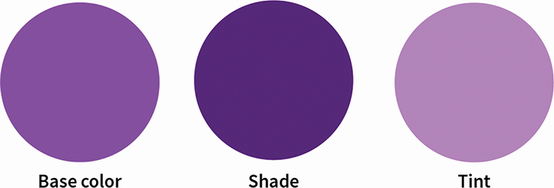
Compare a bright purple base color with its darker shade and lighter tint. section 9.1.1
