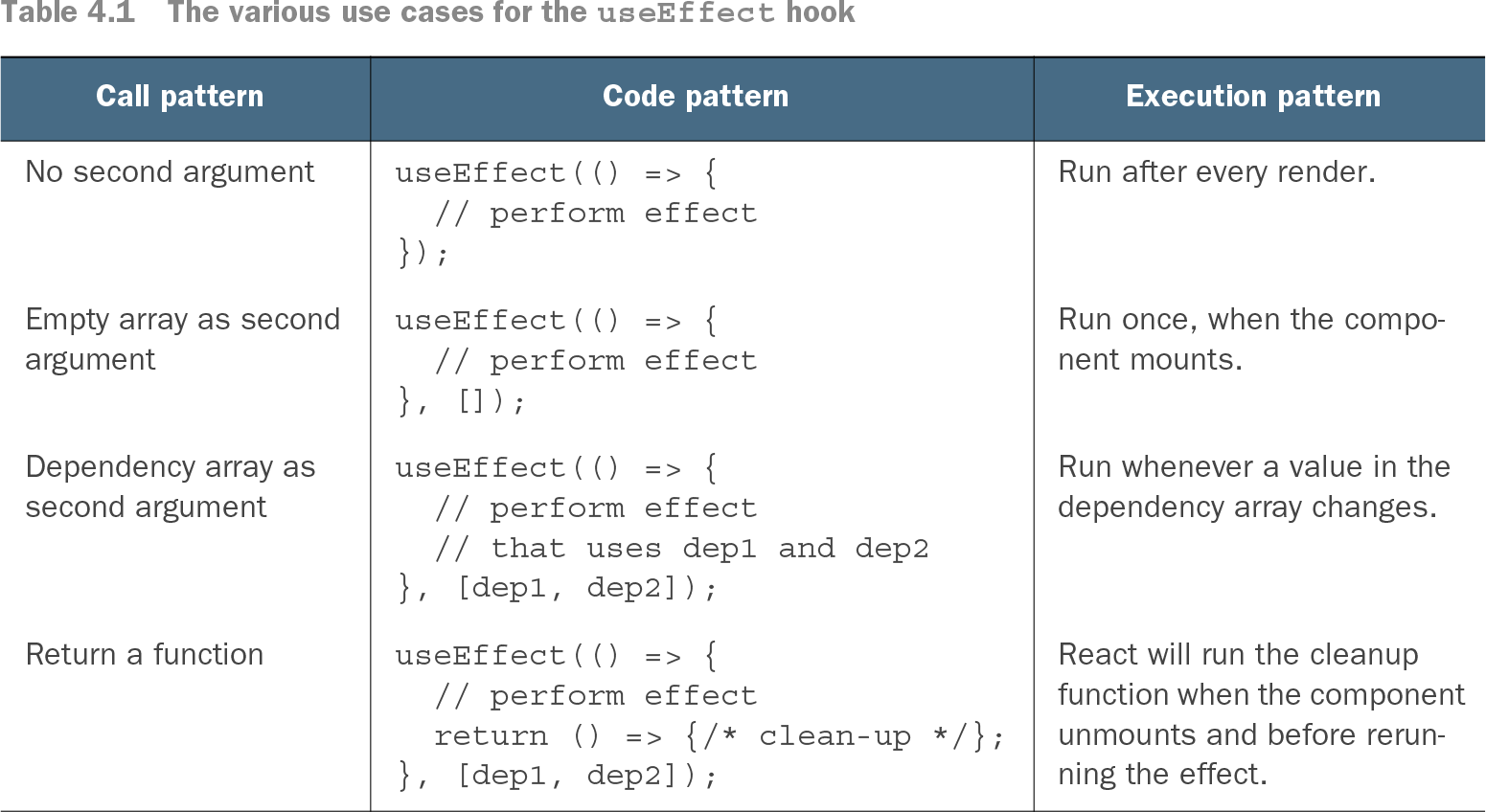
useEffect lets function components deliberately perform work outside React’s normal state-to-UI transformation. Typical effects update the document title, read browser dimensions, access local storage, fetch data, or subscribe to services; React runs them after rendering. section 1.1.3 section 4.4
Choose the call pattern according to when the effect should run:
- Omit the second argument to run the effect after every render. section 4.1.1 section 4.1.5
- Pass an empty dependency array to run the effect once when the component mounts. section 4.1.2
- Pass dependencies to rerun the effect when a listed value changes; include the values the effect uses. section 4.1.4 section 4.4
- Return a cleanup function to remove listeners, cancel ongoing work, or undo other long-running effects before reruns and on unmount. section 4.1.3 section 4.1.5
- Keep separate side effects in separate useEffect calls so their dependencies and cleanup remain understandable. section 4.4
Tracking browser-window size
A window-size component reads the initial dimensions, registers a resize listener in an effect with [], updates state from the handler, and returns a cleanup function that removes the listener. Each resize triggers a render with the new width and height. section 4.1.2 section 4.1.3
Persisting a selected user
A user picker uses one effect with [] to restore a saved user from local storage and another with [user] to save changes. The dependency lists separate initialization from persistence. section 4.1.4
Fetching users after the first render
A UserPicker starts with users set to null, renders a Spinner, fetches JSON inside a mount-only effect, stores the result with setUsers, and then renders the options. Effects run after the initial loading UI appears. section 4.2.3
Table 4.1 The various use cases for the useEffect hook (view table figure)
Use the execution table to compare no dependencies, an empty array, changed dependencies, and returned cleanup functions. section 4.1.5