useMemo is a targeted React performance optimization that memoizes expensive calculations so they are not unnecessarily repeated during rendering. Treat it as a response to a measured bottleneck, not as a default decoration for every calculation. section 4.5 section 4.1
A practical useMemo workflow follows the broader rendering-performance process:
- Profile first with React Developer Tools to identify components that render excessively. section 4.5
- Inspect the Components tab for unexpected prop, state, or context changes before choosing an optimization. section 4.5
- Apply useMemo to expensive calculations, while using React.memo for unchanged props and useCallback for function references passed as props. section 4.5
- Retest after each change; React Compiler in React 19 beta or later can automate some memoization. section 4.5
Interview-ready explanation
When asked why useMemo was added, explain that profiling revealed an expensive calculation being repeated during unnecessary renders. Then distinguish it from React.memo, which prevents component re-renders when props are unchanged, and useCallback, which avoids recreating functions passed as props. section 4.5 section 4.1
Figure 4.12 User interface and Profiler tab view in React Developer Tools.
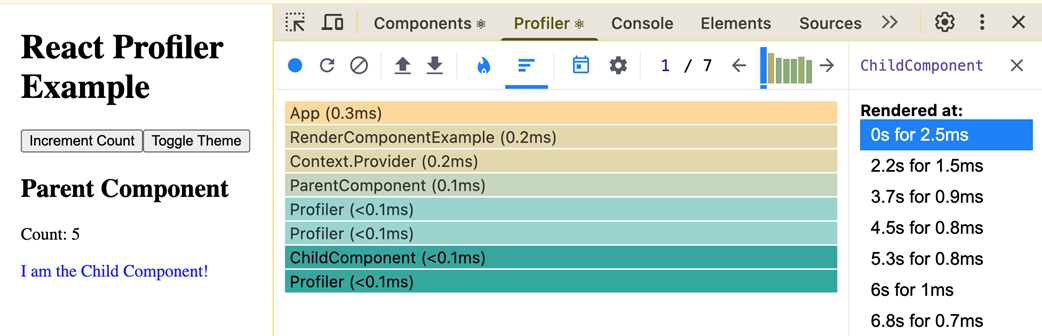
Use the Profiler view to locate render bottlenecks before deciding whether useMemo addresses the measured problem. section 4.5