liveBook · Manning

User management

As explained in ASP.NET Core in Action, 3e

User management is the administration of application user accounts, credentials, profile details, claims, and account security settings.

User management administers application users, including their stored details, credentials, claims, account lockout, multifactor authentication, and password recovery. ASP.NET Core Identity handles much of this security-sensitive plumbing while allowing control over the login process. section 23.2

ASP.NET Core Identity provides:

  • EF Core-backed storage for users, claims, and the supporting database schema. section 23.2
  • User creation, password validation, account lockout, multifactor authentication codes, and password-reset tokens. section 23.2
  • Optional default UI through Microsoft.AspNetCore.Identity.UI, including Razor Pages for registration, login, two-factor authentication, and external providers. section 23.2
  • Developer-controlled UI, email delivery, custom claims, and third-party identity-provider integration. section 23.2
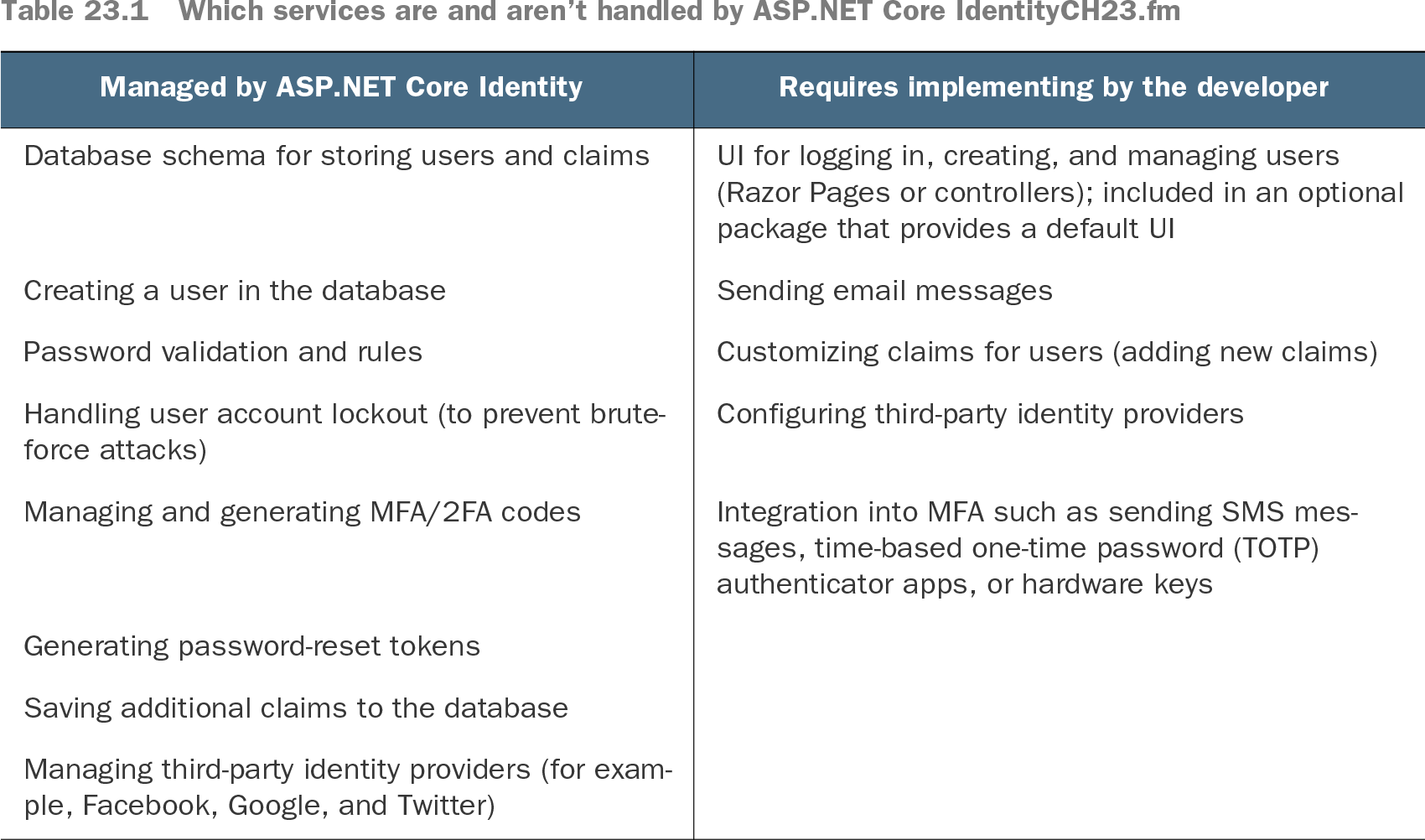
Table 23.1 Which services are and aren’t handled by ASP.NET Core IdentityCH23.fm (view table figure)

Managed by ASP.NET Core Identity

Requires implementing by the developer

Database schema for storing users and claims

UI for logging in, creating, and managing users (Razor Pages or controllers); included in an optional package that provides a default UI

Creating a user in the database

Sending email messages

Password validation and rules

Customizing claims for users (adding new claims)

Handling user account lockout (to prevent brute-force attacks)

Configuring third-party identity providers

Managing and generating MFA/2FA codes

Integration into MFA such as sending SMS messages, time-based one-time password (TOTP) authenticator apps, or hardware keys

Generating password-reset tokens


Saving additional claims to the database


Managing third-party identity providers (for example, Facebook, Google, and Twitter)


Compare the user-management services Identity supplies with the pieces an application must implement or configure. section 23.2


How ASP.NET Core in Action, 3e covers it

How deep it goes
Explains Identity responsibilities and service boundaries, but stops short of implementing the complete sign-in UI and integrations.
Examples
Uses database user records, claims, password rules, lockout, reset tokens, default Razor Pages, and two-factor authentication.
What you can do after
Apply it via ASP.NET Core Identity and its default UI to add user accounts and common authentication features.
How it connects
Connects user accounts with authentication, claims, EF Core, Razor Pages, multifactor authentication, and external identity providers.

Also explained in

Compare how 2 books explain user management →

Related concepts

This explainer was generated by Manning's knowledge graph from the text of ASP.NET Core in Action, 3e. The section links point to the parts of the book it draws on.