A WordPress theme controls the visible character of a site: its layout, colors, typography, backgrounds, and the appearance and behavior of elements such as menus, links, and buttons. It gives a site a professional starting design without requiring programming, while leaving room to make that design fit a specific audience and goal. section 1.1 section 6.0
Start with a theme that is broadly suited to the site’s purpose rather than hunting for a perfect match. A gardening site, store, portfolio, or professional practice needs a look that makes visitors comfortable and supports its goal. Popular themes can signal quality and longevity; a freemium or paid option may also be less likely to be abandoned. section 6.1 section 1.6.7
After choosing a theme, refine it in practical steps:
- Check that it is actively updated. Outdated themes can create security, compatibility, support, responsiveness, and feature problems. section 6.2
- Open Appearance > Customize to adjust the options the theme provides, such as typography, colors, site identity, header images, menus, and widgets. section 1.6.6 section 6.5
- Use previewable, WYSIWYG customization where available. Changes made there survive a theme update because they do not edit theme files. section 6.5
- Check whether the design remains distinctive and useful for the intended audience instead of looking like a generic clone. section 1.6.7
Example: shaping a recipe site
Choose a theme whose starting layout is reasonably close to a recipe site, then tailor its colors, typography, images, and homepage composition. Compare successful recipe sites and ask AI to identify visible differences in an uploaded homepage, but use the suggestions as input for your own design judgment. section 6.0 section 6.9
Theme quality is more than appearance. Look for responsive behavior across screen sizes, and consider accessibility. Some themes are described as accessible-ready and use ARIA roles to help screen readers identify the structure and zones of a page. Browser inspection tools or an accessibility report can help check those details. section 1.1 section 8.6.2
You would likely find this Web Developer extension valuable when building and maintaining a site.
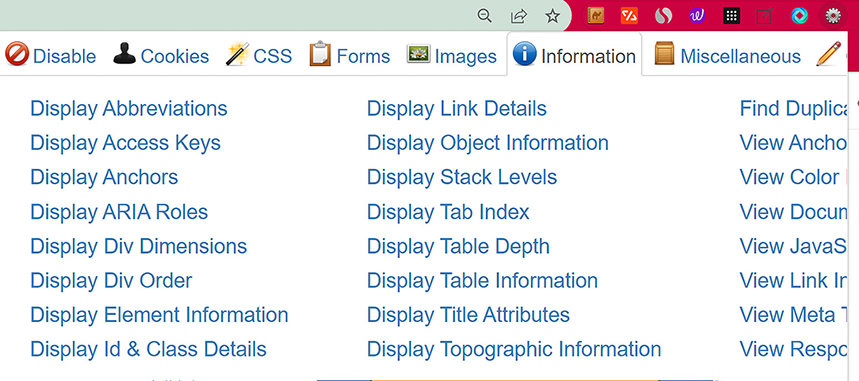
Use the Web Developer browser extension to view ARIA roles in a live theme more efficiently than searching page markup manually. section 8.6.2
