Comp Component in a Math Package
The "comp" component is a crucial part of a math package that is structured to handle both symbolic and numeric computations. This component is part of a larger package that is divided into user interface (ui) and computational (comp) elements, as illustrated in Figure 18.1.
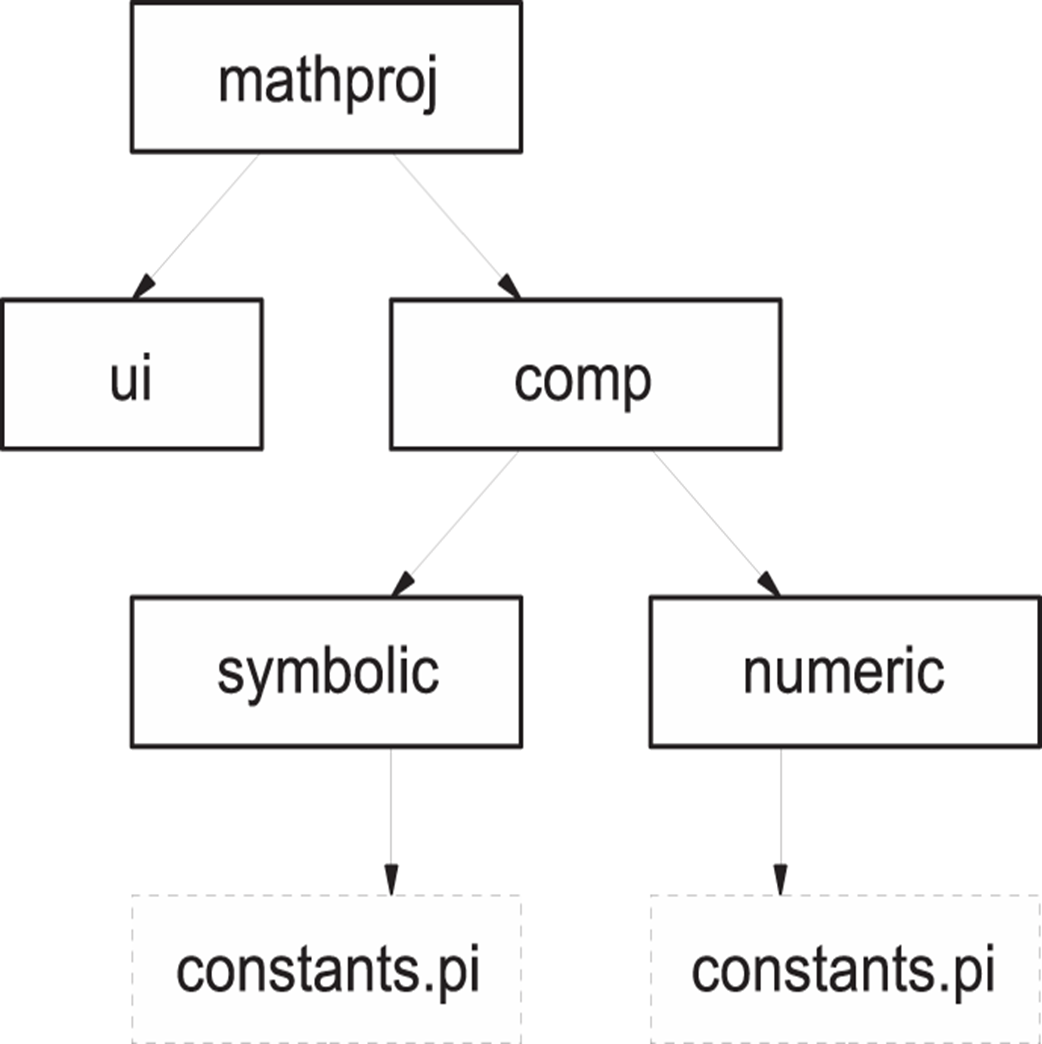 Figure 18.1 A math package, split into ui and comp components, with symbolic and numberic elements in the components.
Structure of the Comp Component
The comp component is organized into several sub-packages and modules, each serving a specific purpose in the computational framework.
Initialization and Configuration
The __init__.py file in the comp sub-package is responsible for initializing the package. It sets the __all__ property to include the module c1 and prints a message to indicate that the comp package has been loaded.
Listing 18.2 File mathproj/comp/init.py
__all__ = ['c1']
print("Hello from mathproj.comp init")
Core Module
The c1.py file within the comp package sets a property x to 1.0, which can be used by other modules within the package.
Listing 18.3 File mathproj/comp/c1.py
x = 1.00
Numeric Sub-Package
The numeric sub-package within comp is designed to handle numeric computations. Its __init__.py file simply prints a message to confirm its loading.
Listing 18.4 File mathproj/comp/numeric/init.py
print("Hello from numeric init")
Numeric Modules
-
n1.py: This module imports elements from the main package and the
compsub-package. It defines a functiong()that prints the version of the package and calls another functionh().Listing 18.5 File mathproj/comp/numeric/n1.py
from mathproj import version from mathproj.comp import c1 from mathproj.comp.numeric.n2 import h def g(): print("version is", version) print(h()) -
n2.py: This module defines the function
h(), which returns a string indicating it has been called.Listing 18.6 File mathproj/comp/numeric/n2.py
def h():
    return "Called function h in module n2"
Usage
To utilize this package, users need to ensure that the directory structure is correctly set up, with all files saved in their respective directories. The current working directory for Python should be the one containing the mathproj directory when executing these examples. This setup allows for a modular approach to mathematical computations, leveraging both symbolic and numeric capabilities.
FAQ (Frequently asked questions)
What does Figure 18.1 in 'The Quick Python Book, Fourth Edition' illustrate?
What components are included in the math package according to Figure 18.1?
What is shown in Listing 18.2 of 'The Quick Python Book, Fourth Edition'?
What does the init.py file in mathproj/comp contain?
What is the purpose of the all variable in the mathproj/comp/init.py file?
What message is printed when the mathproj.comp module is initialized?