Exploring Python with the help() Function
The help() function is an essential tool for exploring and understanding Python. It is part of the pydoc library and provides access to Python's built-in documentation. The function can be used in two primary modes:
-
Interactive Help System: By simply entering
help()in a Python environment, you can access an interactive help system. This system allows you to explore documentation for modules, keywords, or topics. Once inside, you will see ahelp>prompt where you can enter a module name, such asprint, or any other topic to read Python’s documentation on that subject. To exit the help system, you can simply hit enter without any input.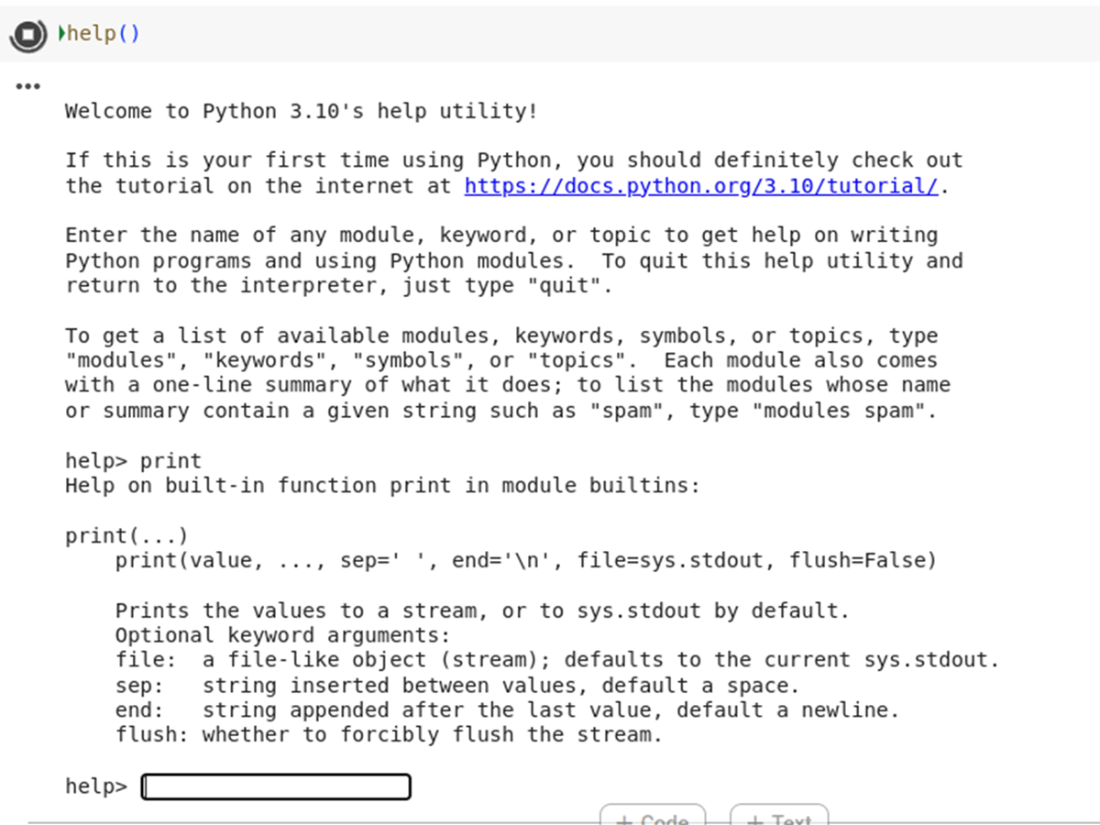 Figure 2.8 Using help() for the print function.
-
Targeted Documentation: For more specific inquiries, you can use
help()with a particular type or variable. This method provides immediate documentation for the specified object and then exits. This is particularly useful for checking the exact syntax of a method or understanding the behavior of an object.For example, consider the following code snippet:
x = 2
help(x)
This will output the documentation for the
intclass, as shown below:Help on int object: class int(object) | int(x=0) -> integer | int(x, base=10) -> integer | | Convert a number or string to an integer, or return 0 if no arguments | are given. If x is a number, return x.__int__(). For floating point | numbers, this truncates towards zero. | | If x is not a number or if base is given, then x must be a string, | bytes, or bytearray instance representing an integer literal in the...
Using help() in this targeted way is a convenient method for quickly accessing the documentation of specific Python objects, making it an invaluable tool for both beginners and experienced developers alike.
FAQ (Frequently asked questions)
What is the purpose of the help() function in Python?
How can the help() function be used?
Which library is the help() function a part of?
How can help() be used to learn about the print function?
What information does help() provide for an int object?
What does the help() function output for the int class?