concept fieldset in category ext js
This is an excerpt from Manning's book Ext JS in Action, Second Edition.
To construct your complex form you’ll have to construct two fieldsets: one for the name information and another for the address information. In addition to the fieldsets, you’ll set up a tab panel that has a place for some text fields and two HTML Editors. To complete this task you’ll use all of what you’ve learned so far, which means we’ll go over quite a bit of code.
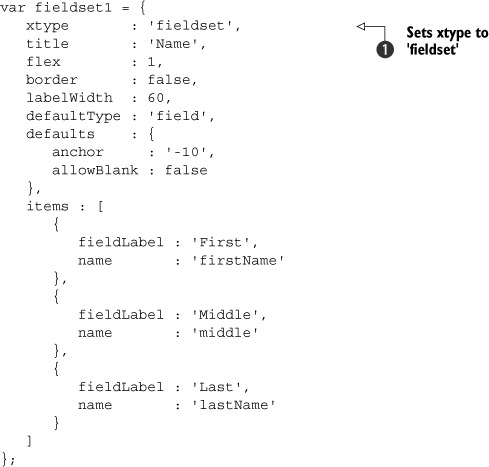
Now that you know what you’ll be constructing, let’s start by building the fieldset that’ll contain the text fields for the name information, as shown in the following listing.
In constructing your first fieldset XType
you may think the parameters look like those of a panel or container. This is because the FieldSet class extends Container and adds some functionality for the collapse methods to allow you to include fields in a form. The reason you’re using a fieldset in this instance is that it’s giving you that neat little title up top, and in this way you get exposure to this component.