concept view in category ext js
This is an excerpt from Manning's book Ext JS in Action, Second Edition.
You’ve already learned that the data services portion of the framework is responsible for the loading and parsing of data. Ext JS 4.0 has a lot of widgets that are bound to data stores, known as views. Many of the views that you’ll deploy include the data view, grid panel, and tree panel. If your application requires charts, you’ll be pleased to learn that all of the charts in the framework are also considered views and are bound to data stores. Figure 1.7 shows the Ext JS grid panel in action.
Finally, if endDrag was called with the invalidDrop property not set, it hides
the proxy element from view, completing your DDProxy implementation.
Now that the overrides are in place, it’s time to apply them to the views, as shown in the following listing.
Listing 12.15. Creating the DropZone overrides
var inOfficeDropZoneCfg = Ext.apply({}, { ddGroup : 'employeeDD', dataView : inOfficeDv }, dropZoneOverrides); new Ext.dd.DropZone(inOfficeDv.ownerCt.el, inOfficeDropZoneCfg); var onVacationDropZoneCfg = Ext.apply({}, { ddGroup : 'employeeDD', dataView : onVacationDv }, dropZoneOverrides); new Ext.dd.DropZone(onVacationDv.ownerCt.el, onVacationDropZoneCfg);In listing 12.15, you create custom copies of the dropZoneOverrides object for the implementation of DropZone for each of the views and follow the same pattern that you used in listing 12.13, where you created instances of DragZone.
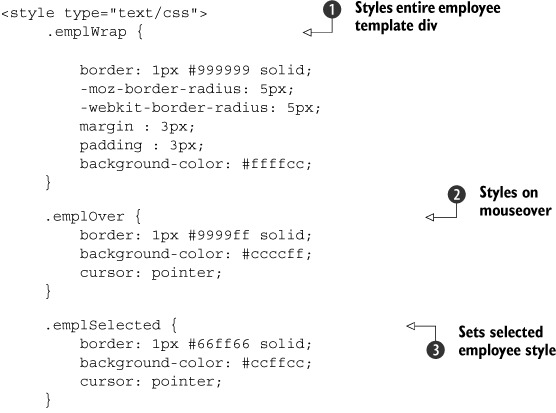
You’ll start by creating the CSS required to style the elements within the view. The drag-and-drop CSS will be included, so let’s get it out of the way in the next listing.
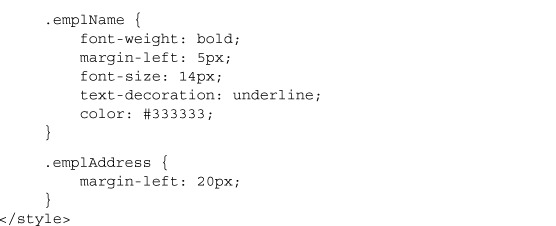
In the CSS in listing 12.8, you style how each employee div will look in the views. An unselected employee element will have a yellow background
, similar to that of a manila folder. When the mouse hovers over the name of an employee, it’ll use the emplOver
CSS class to style it blue. When selected, the employee will be colored green using the emplSelected
CSS class.