concept next listing in category go

This is an excerpt from Manning's book Go in Practice.
Creating and executing tests is fairly straightforward, as shown in the next listing.
Listing 1.10. Hello World: hello.go
package main import "fmt" func getName() string { return "World!" } func main() { name := getName() fmt.Println("Hello ", name) }Starting with a variant form of a Hello World application, you have a function, getName, that can be tested. Go’s naming convention for test files is that they end in _test.go. This suffix tells Go that this is a file to be run when tests execute, and excluded when the application is built, as shown in the next listing.
The most convenient tool that Go provides for doing this is the type switch. With this special case of the switch control structure, you can perform operations based on the type of a value, instead of the data contained in a value. As you read through common Go libraries, you’ll frequently encounter type switches (though using kinds and switches, which you’ll see later in this section, is rare). Let’s start with a simple (though incomplete) example in the next listing.
The generator looks for this comment right at the top of each Go file that you tell it to search. If it doesn’t find a header, it skips the file. If it does find the header, it executes the COMMAND. The COMMAND can be any command-line tool that the generator can find and run. You can pass any number of arguments to the command. Let’s build a trivially simple example in the next listing.
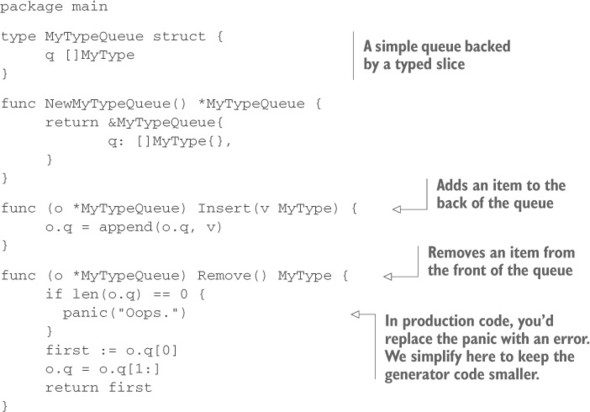
What you want is to be able to automatically generate queues that are specific to the types you want to store in the queues. You want queues that follow a pattern like the next listing.
This code is a good representation of what you want to have generated for you. There are certain bits of information that you want to be filled in at generation time. The obvious example is the type. But you also want the package name to be filled out automatically. Your next step, then, is to translate the preceding code into a Go template. The next listing shows the beginning of your queue generator tool.