concept code splitting in category gwt

This is an excerpt from Manning's book GWT in Action.
The second technique is used only for smaller files and only on browsers that support data URIs. This method involves converting the bytes of the file to Base64, building a URL that looks something like data:[content-type];base64,[Base64 Data],[1] and embedding it into the module’s JavaScript payload. Because Base64 increases the byte count of the encoded data by about one-third, connection count is reduced at the expense of bytes transferred. In many cases, the additional bytes will be less expensive, with regard to load time, than the extra connection would have been. But if many resources are being added to the payload as data URIs, the initial load time of the application might be increased. We don’t subscribe to any hard-and-fast rules here. A few inlined data objects aren’t likely to cause any noticeable issues, but dozens that aren’t necessarily going to be used all the time may. Disabling inlining is one way to defer the loading of the DataResource until it’s needed (code splitting is another option but is more of an advanced topic, covered in chapter 19).
Once you have a baseline, GWT provides several tools for increasing performance. One of them is client bundles, which you learned about in chapter 5, and code splitting, which we’ll look at in this chapter. Code splitting is a way to chop up the compiled GWT code into several fragments, which the developer defines. This allows for the possibility of having a smaller initial download fragment, followed by the loading of additional code fragments after the application starts. This tool is useful for large projects where your compiled code is several hundred kilobytes, because splitting up your code means faster download and startup time. This is far from automatic, but with the aid of the Compile Report you’ll be able to find the right place to split your code.
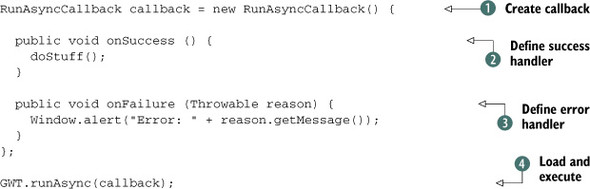
This is where code splitting comes in. If you can cut your code into multiple segments, you can kill two birds with one stone. A smaller initial download means faster startup, and loading less-often-accessed code only when it’s needed means smaller total downloads.
In this section we begin by explaining the basics of using code splitting and then delve deeper and explore a coding pattern that has proven useful for segmenting applications.