concept default action in category gwt

This is an excerpt from Manning's book GWT in Action.
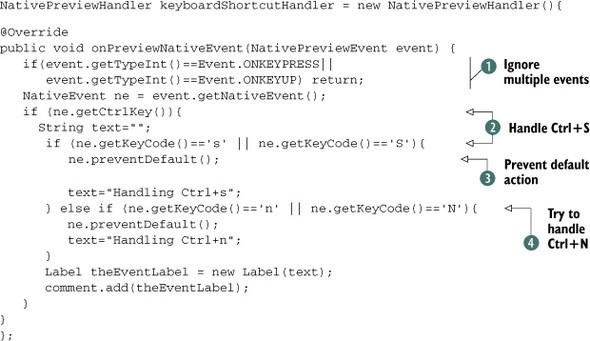
Another approach is to prevent the default action while previewing events. You might do this for implementing keyboard shortcuts in your application. The basic implementation is quite simple and is shown next.
When previewing events in listing 14.4, you ignore ONKEYPRESS and ONKEYUP events
; otherwise you’ll get multiple firings. Next, you check to see if the Ctrl key and S or s are pressed
; if so, you prevent the default action of the browser for this keypress combination
and implement your own (in this case setting the value of the text string, which we then display on the screen. Figure 14.9 shows Ctrl+S and Ctrl+N being pressed, but watch out for a gotcha, as described in the following sidebar.