concept Google Plugin in category gwt

This is an excerpt from Manning's book GWT in Action.
If you’re a fan of an Integrated Development Environment (IDE) that competes with Eclipse, we understand how you might not be excited by this news. And although you can develop GWT code using any IDE (or no IDE at all), we strongly recommend that, until you get your feet wet with GWT, you use Eclipse. In section 1.3 we’ll cover installing both Eclipse and the Google Plugin for Eclipse, and in chapter 2 (“Building a GWT application: saying “Hello World!”), we’ll show you how to use it.
We mentioned that the Google Plugin for Eclipse provides autocompletion support. One area where it provides that support is when you’re writing code to bridge the gap between Java and JavaScript.
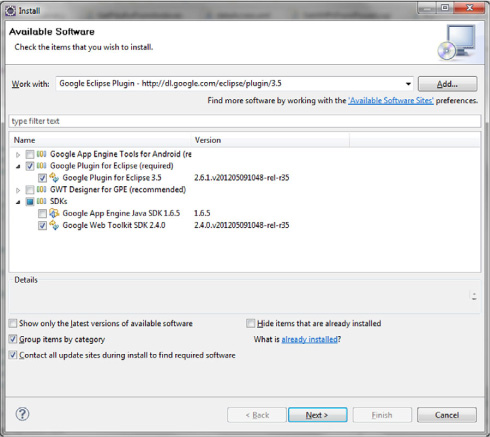
The first step is to find the location of the update site. An update site is a URL to a web server that’s providing the Eclipse plug-in. The Google Plugin for Eclipse has different update site URLs depending on which version of Eclipse you’re running. You’ll need to visit the Google Plugin for Eclipse website, located at http://code.google.com/eclipse/docs/download.html, to find the appropriate URL.