concept size in category gwt

This is an excerpt from Manning's book GWT in Action.
In GWT the fundamental building block of the user interface is the Widget, and its subclasses come in all shapes and sizes. To group these widgets you use a specialized type of widget called a Panel, which is a widget that has the ability to contain other widgets, including other panels. Next is the Composite, which is a specialized widget that can hide its internal implementation from outside callers. These widgets will be covered throughout this book.
The Compile Report provides details regarding the file sizes of compiled code and what classes were compiled into that code. This data allows you to see how your design decisions affect the size of the code, with the outcome of leading you to write leaner code, which in turn results in shorter download times.
The details about a permutation begin on the Split Points page, which provides the size of the permutation in bytes. In figure 19.8 you see this page, which shows a full code size of about 88 KB and an initial download size of the same.
Figure 19.8. The permutation home page presents information on the size of the download along with links to further details.
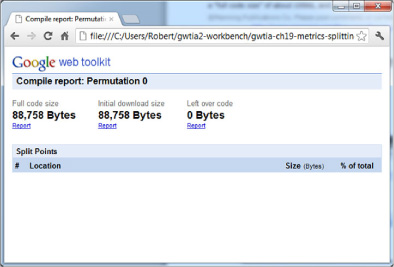
It might not be completely clear at this point why the full code size and initial download size are the same or even what the difference is. Later in this chapter, we’ll show you how to make use of split points, which allow you to break your application into smaller pieces. In this case we have only one piece, which is why the sizes match. If we had broken the code into several parts, the initial download size would have been less than the full code size, and the Split Points table in the previous figure would have listed each of the pieces. But more on split points shortly; first let’s see what sort of details the Compile Report holds.