concept everything in category ios
This is an excerpt from Manning's book Hello! iOS Development.
To start, visit https://developer.apple.com/devcenter/ios, and register for a developer account. The Apple developer site has everything you need to create iPhone apps. The most important thing you need is the developer tools, but you can also find the full SDK documentation, sample code, and video tutorials. After reading this book, you’ll understand a lot of the standard documentation much better.

This is an excerpt from Manning's book Hello Swift!: iOS app programming for kids and other beginners.
I’ve put these skills in the order in which I think it makes the most logical sense to learn them, first to last. If I wrote a book that had everything in it you needed to know, I’d choose this order for chapters. I don’t list the skills from easiest to hardest or put the ones that are most in demand by employers first (are you thinking of that already!?)—only what I think works best. You may already know which of these skills you need most for the type of games you want to develop. If you do, focus on them, and move on in your game development journey!

This is an excerpt from Manning's book iOS Development with Swift.
Everything that you see in your scene is a type of view (or is rendered within a view). Text fields, labels, buttons, switches, and images are all examples of types of views. Views can contain other views and be contained within other views. At the root of a scene is one parent view that contains everything visual in your scene.
Now that you have an idea where everything fits together in the iOS SDK, how about using that information to create your first app?

This is an excerpt from Manning's book iOS 4 in Action: Developing iPhone and iPad Apps.
You now have everything you need to program for the iOS devices, but you won’t be able to release iPhone or iPad programs on your own—that takes a special certificate from Apple. See appendix C for complete information on this process, which is critical for moving your programs from the Simulator onto a real device. The Simulator turns out to be one of several programs you’ve installed, each of which can be useful in SDK programming.
Of these three models, events provide the lowest-level detail and ultimately underlie everything else (they’re essential for sophisticated programs), so we’ll begin with events.
The other way you can link up actions to methods is to do everything visually. This is the preferred choice if you’ve created your object visually (as we’ve suggested) and you’re not planning to change its behavior at runtime.

This is an excerpt from Manning's book iPhone and iPad in Action: Introduction to SDK Development.
You now have everything you need to program for the iPhone, but you won’t be able to release iPhone or iPad programs. That takes a special certificate from Apple. See appendix C for complete information on this process, which is critical for moving your iPhone programs from the Simulator onto a real device. The Simulator turns out to be just one of several programs you’ve installed, each of which can be useful in SDK programming.
Of these three models, events provide the lowest-level detail and ultimately underlie everything else (they’re essential for sophisticated programs), so we’ll begin with events.
The other way you can link up actions to methods is to do everything inside Interface Builder. This is the preferred choice if you’ve created your object in Interface Builder (as we’ve suggested) and you’re not planning to change its behavior at runtime.

This is an excerpt from Manning's book iPhone in Action: Introduction to Web and SDK Development.
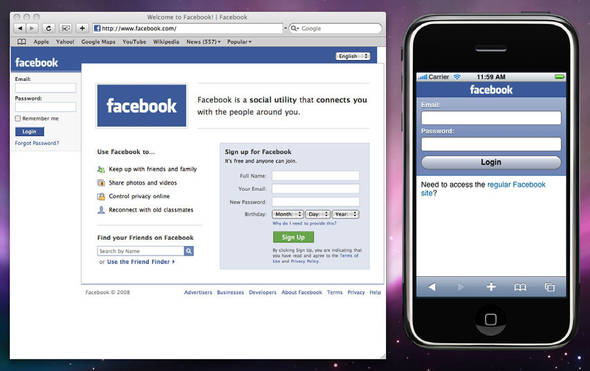
Realizing that most pages will scale by a factor of at least two is vital to understanding how web pages will look on an iPhone. In short, everything will be really, really small. As a result, good web development for the iPhone depends on ensuring that words and pictures appear at a reasonable size despite the scaling. We’ll talk about how to do that using the viewport command, CSS tricks, and other methods in chapter 3.
Of these three models, it’s the events that provide the lowest-level detail (and which ultimately underlie everything else), and so we’ll begin with events.
The other way that you can link up actions to methods is to do everything inside of Interface Builder. This is the preferred choice if you’ve already created your object in Interface Builder (as we’ve suggested) and you’re not planning to change its behavior in runtime.