concept flow in category ios

This is an excerpt from Manning's book Anyone Can Create an App: Beginning iPhone and iPad programming.
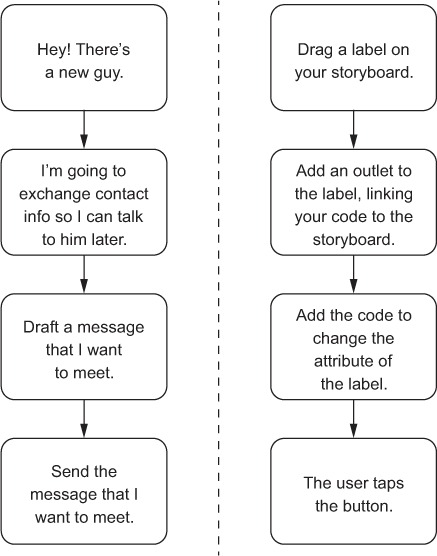
A button is a type of UI control (an object the user can interact with that “controls” the flow of an application). When you tapped the button (the UI control object), it went into the code based on the action you defined (the action buttonClick). Chapter 9 covers application flow, so don’t worry too much about it here.
This may seem like a lot to take in right now, but we’ll continue to review these concepts and build on them throughout the book. Remember, the button is an object that’s part of the user interface (UI) that can help control the flow of the application—therefore it’s a UI control object.
You learned back in chapter 5 that the flow of an application—how an application reacts to different events—can be changed when a user interacts with a control, such as by tapping a button. But there are other ways that the flow can be altered that don’t require user intervention like tapping buttons. This chapter introduces some of these ways.