concept graphic in category ios

This is an excerpt from Manning's book iOS 4 in Action: Developing iPhone and iPad Apps.
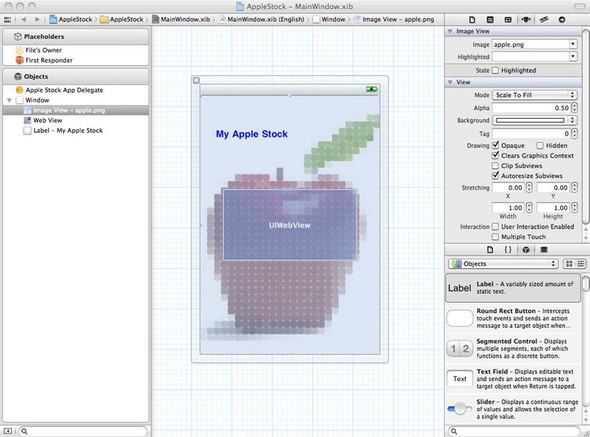
Graphics are one of the most important elements for making your projects look great. Not only does iOS support high-quality graphics, but it also gives you a wide variety of options, depending on the needs of your program.
Before we leave graphics behind, we want to touch on one other toolkit: OpenGL.

This is an excerpt from Manning's book iPhone and iPad in Action: Introduction to SDK Development.

Graphics are one of the most important elements for making your projects look great. Not only does the iPhone OS support high-quality graphics, but it also gives you a wide variety of options, depending on the needs of your program.
Before we leave graphics behind, we want to touch on one other toolkit: OpenGL.

This is an excerpt from Manning's book iPhone in Action: Introduction to Web and SDK Development.
Graphics are the most common problem. If you use them for navigation or to depict any other critical information, you’ll probably have a problem because they’re unlikely to be very readable at a 3:1 scale.
Replace the graphics with corresponding text, especially if you plan to use the graphics for navigation. Push the graphic off to a subsidiary page that only shows the graphic and allow the user to click through to that page. Be sure that the subsidiary page shows the graphic at device-width. Zoom in to the column with the graphics using the initial-scale viewport property. Table 3.6. Making your web pages iPhone friendly can take just a couple of hours of work, but can result in dramatically improved user experiences for iPhone users. Here are several iPhone best practices that can improve your pages for your users, all summarized from discussions found in chapters 1 and 3.
Practice
Explanation
Use a viewport
Decide the size of virtual browser that your web pages will support, and lock that in with a viewport command.
Use relative values
Whether you’re writing CSS, laying out tables, or doing something else, always use relative values, not absolutes.
Use columns
Lay your pages out in columns whenever you can, and make sure those columns match up to logical data units on your web pages.
Watch your media
Don’t use Flash, Java, or other unsupported third-party client software on web pages that you expect iPhone users to access.
Be careful with events
Remember that certain events don’t work the same on the iPhone. Don’t use click-and-drag events or hover events on iPhone web pages.
Speed up your downloads
Fall back on lessons learned in the 1990s to make faster, leaner web pages that will load quickly over the EDGE and 3G networks.
Separate your links
Put spaces between your links to make it easy for users to click on them with their fingers.
Avoid scrollable framesets
Because of the lack of scroll bars on the iPhone, framesets—which would be individually scrollable on the desktop—provide a subpar experience on the iPhone.
Use words, not pictures
Don’t use graphics that just repeat words, as they slow down loading and may be very small on an iPhone screen.
Follow standard best practices
Although we feel that last-generation mobile best practices are already outdated, you should still follow more general web-based best practices. Make sure that your web pages validate and are clean to provide the optimal experience for all of your users.