concept new project in category ios

This is an excerpt from Manning's book Anyone Can Create an App: Beginning iPhone and iPad programming.
Create a new project.
The next step in the pseudocode is to create a new project. Once you’ve launched Xcode, you should see an initial window that says Welcome to Xcode, as shown in figure 2.2.

This is an excerpt from Manning's book iOS 4 in Action: Developing iPhone and iPad Apps.
Templates for new projects
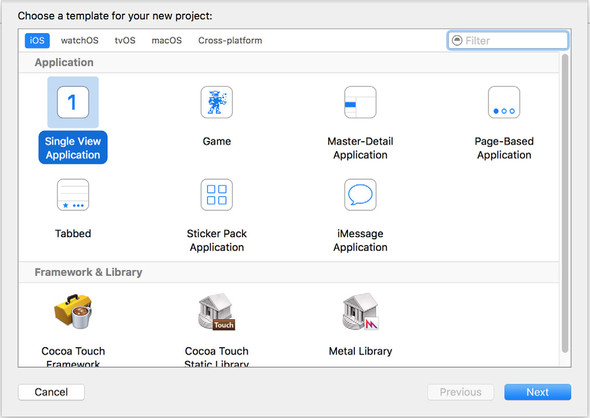
When you’re creating a new project in Xcode, you always have the option to select from among several templates, as shown in figure 3.2, each of which gives you a different basis for your code. Besides a Window-Based Application, you can create a project as a View-Based Application, a Tab Bar Application, a Navigation-Based Application, a Utility Application, a Split View-Based Application, or an OpenGL ES Application.