concept nscoding in category ios

This is an excerpt from Manning's book Anyone Can Create an App: Beginning iPhone and iPad programming.
The second thing you need is NSCoding. This allows you to encode data, save it to disk, and decode the data to read it from a file. This isn’t a class you’re inheriting from, but a protocol you want to conform to. Protocols are everywhere, aren’t they? Change the class definition so it inherits from NSObject and conforms to the NSCoding protocol (don’t confuse NSCoding and NSCoder—make sure you use NSCoding, or you’ll get an error). This is what my Lion class definition looks like:
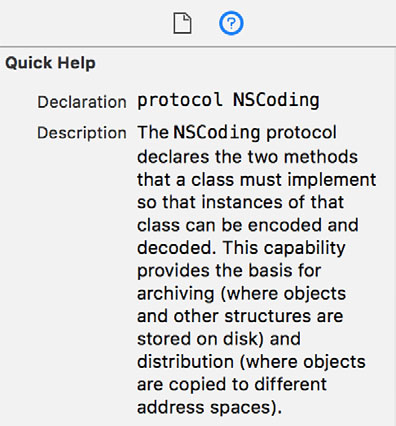
class Lion : NSObject, NSCoding {If you remember what you’ve learned about protocols and delegates, you must implement certain functions in order to conform to the NSCoding protocol. Do you recall the easiest way to find out which functions you must implement? You could Command-click the word NSCoding to open the protocol definition file. The file itself is somewhat confusing because it contains several protocol definitions. The other option is to click the word NSCoding once and look at the Quick Help panel (as shown in figure 24.1). This shows that NSCoding is a protocol and gives a lot more information about the different functions and availability of the protocol (if it doesn’t open automatically, click the blue question mark).
That’s all there is to loading data from a file. I know it may seem complex, or like there are a lot of steps, but it isn’t that complex when you break it down. You must make the class that you want to save to a file conform to the NSCoding protocol by implementing the two required methods. Within those methods, you need to encode the object based on the object type (String and Int in this case). You then need to implement the ability to load the object from the file within the object by decoding the object based on the object type (again, Strings and Int).
Once you’ve made the Lion class NSCoding-compliant, you need to create an initializer in the MainViewController class (or whatever class you need to load the data from a file) to initialize the array and load the data. To load the data, you need to get the path to the file that’s stored in the sandbox, use the File Manager to determine if there is data in the file, and then use the unarchiver to decode the data.