concept tag in category java

This is an excerpt from Manning's book Spring Roo in Action.
Let’s create this relationship as a bidirectional, many-to-many relationship, so you can easily fetch the courses for a given tag, or the tags assigned to a particular course.
You’ll begin by defining the Tag entity:
entity jpa --class ~.model.Tag --testAutomatically
field string --fieldName tag --sizeMin 1 --sizeMax 25 --notNull
field string --fieldName description --sizeMax 250 --notNull
Roo responds by creating the Tag entity and adding the fields, as shown in the following listing.
Listing 4.2. The Tag entity
package org.rooinaction.coursemanager.model; ... @RooJavaBean @RooToString @RooJpaActiveRecord public class Tag { @NotNull @Size(min = 1, max = 25) private String tag; @NotNull @Size(max = 250) private String description; }Next you need to relate the Tag to your Course entity. Assume your Roo shell focus is still on the Tag entity:
The preceding command defines a Java Set collection, named courses, on the Tag entity:
@ManyToMany(cascade = CascadeType.ALL)
private Set<Course> courses = newHashSet<Course>();
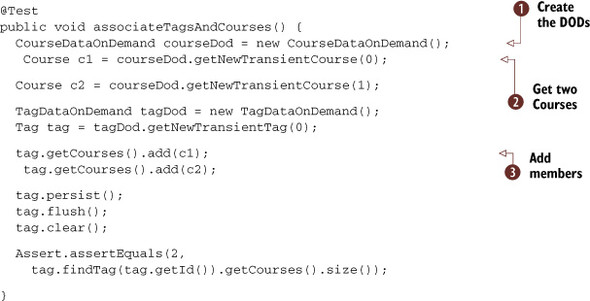
In the example, Tag is the owning side of the relationship, which means that any changes to Tagcourses entries get automatically flushed to the database. You picked this side by making the other side define the mappedBy annotation attribute.

This is an excerpt from Manning's book Struts 2 in Action.
At this point, we provide this listing only for the sake of full disclosure. We’ll cover the Struts 2 UI component tags fully in chapter 6. For now, just note that a tag or two will render a complete HTML form. And, as you’ll see, these tags also bind the form to the various features of the framework, such as automatic data transfer.
But that won’t take long, and we’ll make the most of the remainder of the chapter. After we demystify these two obscure repositories, we’ll provide a reference-style catalog of the general-use tags in the Struts 2 tag API. These powerful new tags allow you to wield the OGNL expression language to feed them with values. But tags are tags, and they also won’t take long to cover. So, after covering the tags, we’ll provide a concise primer to the advanced features of the OGNL expression language. In the end, you’ll wield your OGNL expressions confidently as you navigate through the densest of object graphs to pull data into the dynamic rendering of your view pages. Bon appétit.
First, we need to take a moment to make sure you understand where the framework holds all the data you might want to access from the tags. This usage of globally accessible storage areas may not be familiar to developers coming from other frameworks, including Struts 1. In the next section, we’ll take care of these crucial introductions.
There are a couple of things you have to understand when setting values in tag attributes. The basic issue is whether the attribute expects a string literal value or some OGNL that’ll point to a typed value on the ValueStack. We’ll introduce this issue now, and revisit it as we cover the tags themselves.
First, we need to consider that an attribute on a tag is eventually going to be processed by the Java code that backs the tag implementation. But in the JSP page, for instance, everything is a string. Working with other technologies, you’ve become familiar with using some sort of escape sequence to force the attribute value to be parsed as an expression versus being interpreted as a string literal; this frequently leads to markup that borders on being hard to read, with its proliferation of ${expression} notation. In an effort to make the use of OGNL in tags more intuitive and readable, Struts 2 makes assumptions about what kind of data it expects for each attribute. In particular, a distinction is made in the handling of attributes whose type, in the underlying execution, will be String and those whose type will be non-String.
