concept web application in category jboss

This is an excerpt from Manning's book JBoss in Action: Configuring the JBoss Application Server.
This file merely prints out the words Hello World! in the body of an HTML page that’s sent to the user in response to any call to the servlet. The other file that you need to create is the standard deployment descriptor, web.xml, a configuration file that JBoss AS uses when deploying the web application. Listing 1.3 shows you what the web.xml file looks like for our application.
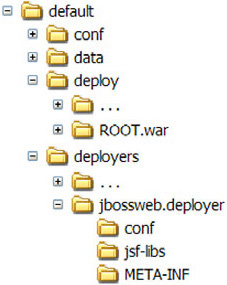
As we discussed in chapter 2, you copy your application directory to the deploy directory to deploy it into JBoss AS. In a standard binary installation, a web application called ROOT.war is in the deploy directory of the default configuration. If you start the application server and go to http://localhost:8080, you’ll see the root web application.
JBoss AS comes prepackaged with JBoss Web Server in both the default and the all configurations. The JBoss Web Server deployer lives in the jbossweb.sar subdirectory of server/xxx/deploy. The server/xxx/deployers jbossweb. deployer directory contains the necessary JAR files to deploy web applications. The following are some of the key files and directories:
The context path points the request dispatcher to the appropriate application. JBoss Web Server makes configuring the context path for an application easy—you don’t have to configure it at all! When you deploy a web application into JBoss AS, the WAR deployer uses the name of the WAR package (sans the .war extension) for the context path. For example, if you deploy a WAR package named helloworld.war into JBoss AS, JBoss Web Server assigns the context path helloworld to the application.