concept Catcher portlet in category liferay

This is an excerpt from Manning's book Liferay in Action: The Official Guide to Liferay Portal Development.
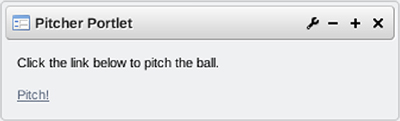
You’ll be creating a simple demonstration of IPC using baseball—well, at least, part of baseball. Your project will contain two portlets: a Pitcher portlet and a Catcher portlet. You can see the Pitcher portlet in figure C.1: it will randomly generate a pitch and then send the name of the pitch as the payload of a portlet event. To cause the portlet to do this, you’ll provide a simple link.
Figure C.1. Click the Pitch link to pitch the ball. This will send an event with the type of pitch to any portlets listening for that particular event.
The Catcher portlet will listen for the event. When it receives the event, it will display the name of the pitch it received from the Pitcher portlet (see figure C.2). It doesn’t do anything other than that, but you might be able to create an entire portlet-based baseball game, if you wanted to.
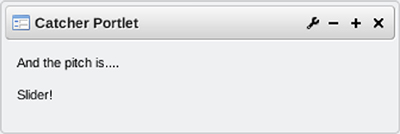
The Catcher portlet is even simpler. It doesn’t do anything except receive the event sent to it by the Pitcher portlet and then display the payload. This is a much more basic application of this particular technology than you might normally use events for. If you were doing this in a real application, you might instead examine the payload of the event and then perform some action on it. For example, a portlet could receive an event that contains a customer number. This event might have been sent by a search portlet or a portlet that lets you browse customers. After the portlet received this event, it could take that number, query a database for all orders the customer has placed, and then display those orders. In this way, a developer could write one portlet that does customer lookups and another portlet that does order lookups. If these portlets communicate with each other using events, they could be used to assemble an invoicing application fairly quickly, using the portal container to lay out the pages.