concept component in category liferay

This is an excerpt from Manning's book Liferay in Action: The Official Guide to Liferay Portal Development.
One important way AlloyUI does this is by generating the proper markup for you. To do this, it has two types of components: a tag library and a JavaScript API. This chapter is concerned with the tag libraries, which are incredibly helpful for building web forms. In chapter 5, we’ll look at some of AlloyUI’s JavaScript functions.
Third, Alloy UI’s components are fully JavaScript enabled, complete with their own documented APIs. The JavaScript is based on YUI 3, which is a well known, widely used JavaScript library. This means the JavaScript is distributed across the spectrum of browsers and environments and therefore is well tested and robust. But this doesn’t make the page heavy; instead, Alloy UI’s JavaScript has built-in lazy loading, which means components don’t load until they’re needed. If you have a portlet on a page using one of Alloy UI’s components, but the user is interacting with another portlet, Liferay doesn’t have to waste time assembling all the portlet resources the user isn’t using—instead, those resources load only when the user begins interacting with that portlet.
What does this mean practically to you? A lot. Two things come to mind right away: you get components, and you get good design.
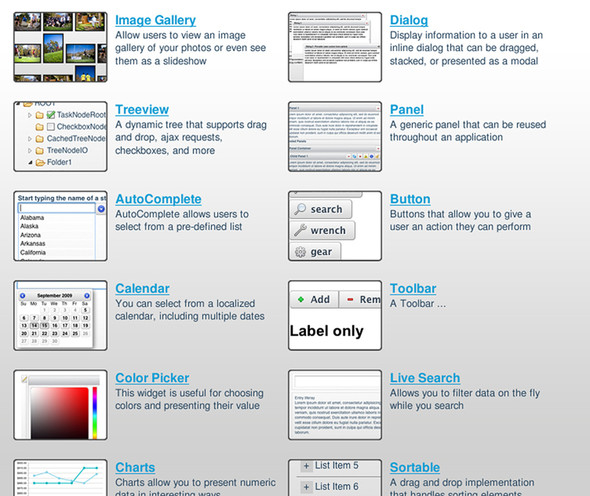
A major benefit of using Alloy UI is its components. These are working pieces of code that already solve the problems you’re probably trying to work out. You can use them in your themes and in your portlets to provide the best possible interface for your users. Figure 5.5 shows some of the components available with Alloy UI.
Figure 5.5. A few of the growing list of components available for Alloy UI. I had to cut off the image somewhere, but check http://alloy.liferay.com for a complete, current list.