concept form in category liferay

This is an excerpt from Manning's book Liferay in Action: The Official Guide to Liferay Portal Development.
The Web Content Display portlet does what its name implies: it displays web content. In order for it to do its job, you’ll have to create some web content. You can do that quickly by clicking the Add Web Content icon at lower right. You’re then brought to a form where you can add content (see figure 1.7).
Let’s start gently with AlloyUI. You have a simple form that hardly needs it, but you’ll use AlloyUI to build the form because it’s a best practice when coding on Liferay’s platform. This form is shown in the following listing.
Listing 4.4. An AlloyUI form
<portlet:actionURL name="addProduct" var="addProductURL"/> <aui:form action="<%= addProductURL.toString() %>" method="post"> <aui:fieldset> <aui:input name="productName" size="45" /> <aui:input name="productSerial" size="45" /> <aui:button-row> <aui:button type="submit" /> </aui:button-row> </aui:fieldset> </aui:form> docroot/admin/view.jspBecause this is a portlet, you have to let Liferay create the URL for submitting the form, which you can then use in the action attribute of the form declaration. You’re using AlloyUI tags here, which you declared in init.jsp. The form is simple, with just the two fields you need to add products. You should recognize these fields from the Service Builder configuration you used in the last chapter to generate database tables and Java code for accessing them.
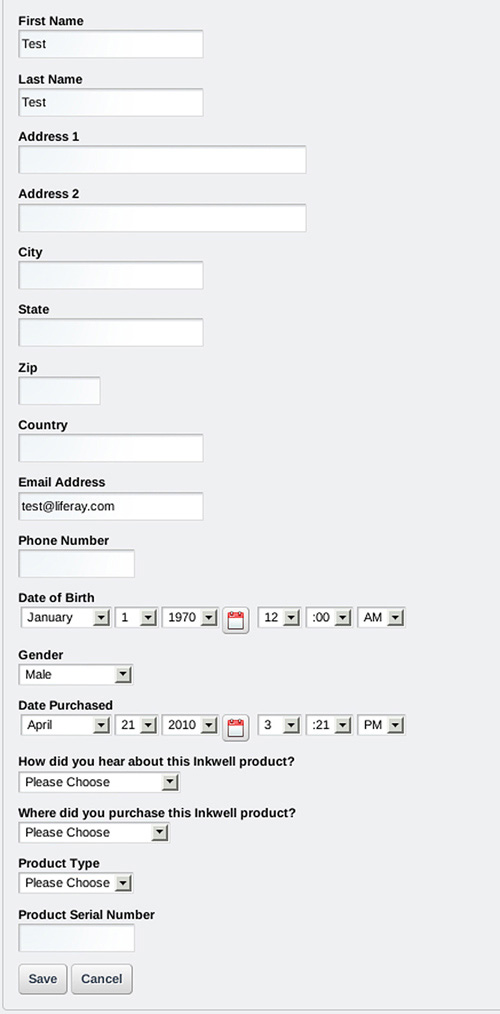
As you’ve seen, MVCPortlet uses an initialization parameter to forward processing to a JSP for the user to view. Your first step will be to make this JSP display what you want to show to the user. If you refer back to figure 4.2, you can see that you want to show the user a form that allows them to quickly add products. On that form, you’ll display a table of products that have already been added and that users can view, edit, or delete.
To create the form, you’ll use another Liferay tool: AlloyUI tag libraries. The form you’re creating is small, so you won’t necessarily see the benefits of using AlloyUI taglibs just yet; but suffice to say you’ll be glad you’re getting an introduction, because it will make your life a lot easier later in the chapter.