concept message in category liferay

This is an excerpt from Manning's book Liferay in Action: The Official Guide to Liferay Portal Development.
The functionality for this mode is simple: you want to retrieve a preference that may or may not have been stored for the logged-in user. If you don’t find a preference, you’ll print “Hello!” If you do find one, you’ll print a message that includes the preference. For example, if the user’s name is Mortimer Snerd, you’ll print “Hello Mortimer Snerd!” The following listing shows the code.
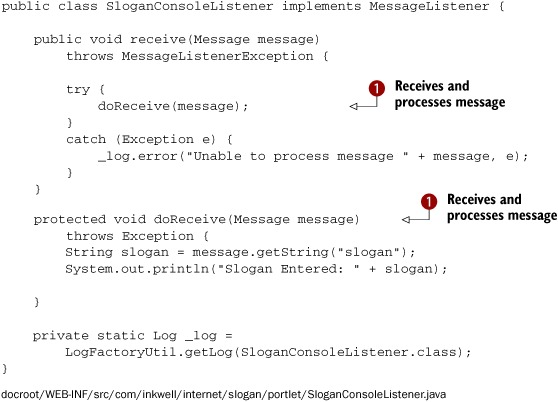
Next, let’s implement the listener class and make sure you send the message in the event you’ve defined, which is adding a slogan. This event is in the SloganLocalServiceImpl class, specifically in the addSlogan() method. You can add a small method there called sendMessage() to build the message and then send it across the bus:
private void sendMessage(
    Slogan slogan, ServiceContext serviceContext) {


    Message message = new Message();
    message.put("userId", serviceContext.getUserId());
    message.put("slogan", slogan.getSloganText());
    MessageBusUtil.sendMessage("inkwell/slogan", message);

}
The message, as you can see, consists of the userId of the user who submitted the slogan as well as the slogan text. You can, of course, include as much or as little information as you have on hand. For example, if you wanted to act on the slogan entity in your listener, you might want to include the primary key of the slogan entity so you could go grab it and manipulate it. For demonstration purposes, you don’t need that, because all your listener is going to do is display the slogan in the console. Let’s see how that works in the following listing.
Again, this is simple, isn’t it? The only thing you have to implement is a doReceive() method
in which you place the logic for receiving the message and then doing something with it. The Message class provides many convenience methods for getting various Java types, and you can send your own classes across the message bus as well.
This is exactly what happened with the message bus. There are open source Enterprise Service Bus solutions out there, but they were too heavyweight for Liferay, because Liferay only wanted a small, internal bus that would perform quickly. Certain scenarios within the portal required one component to be able to send a message to another component to do something, independent of the request/response model of the web. Rather than use something that was too heavy or wasn’t quite the right fit, Liferay built its own message bus.
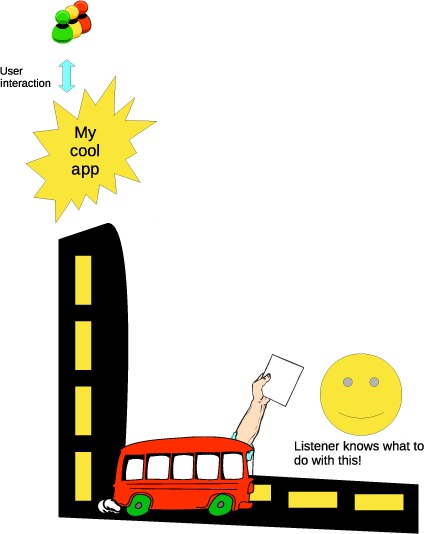
The Message Boards portlet sends a message to a listener over the message bus and then returns the response to the user, who can continue interacting with the portal in any way he or she chooses. Meanwhile, the listener that receives the message can act on it on a separate thread (see figure 10.4). In the case of subscriptions, there’s a listener that can receive a primary key of a Message Boards thread, go look up the subscribers to that thread, and send them emails.