concept Plugins SDK in category liferay

This is an excerpt from Manning's book Liferay in Action: The Official Guide to Liferay Portal Development.
Enough theory. Let’s get down to using the Plugins SDK. In this section, you’ll see how to use the Plugins SDK with a text editor and Ant. If you’re an IDE user, please see appendix A for how to set up projects with Liferay IDE / Studio, Eclipse, or NetBeans.
The Plugins SDK is both a project generator and a location where your projects are stored. You’ll create projects in the folders where they belong, and those folders will contain one or multiple projects of that type. You can then open the projects in an IDE or in a text editor to work on them.
If you check individual projects into a source code repository, you’ll want to check them out into a fully configured Plugins SDK, because the Ant scripts in the projects depend on Ant scripts in the Plugins SDK for their functionality. Let’s see how to create new projects.
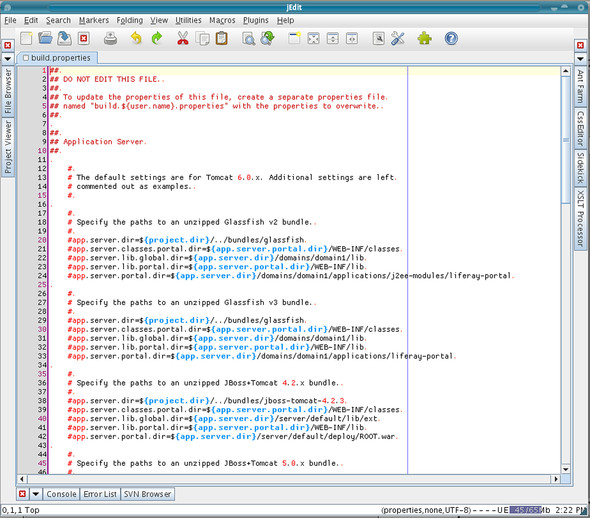
Notice that the Plugins SDK contains a file called build.properties. This file contains settings related to where Liferay is installed and where your deployment folder will be. You shouldn’t customize this file. Open build.properties in a text editor and at the top you’ll see a message, “DO NOT EDIT THIS FILE,” as shown in figure 2.3.