concept server in category liferay
appears as: server, servers, Server, servers

This is an excerpt from Manning's book Liferay in Action: The Official Guide to Liferay Portal Development.
Server— The Server section contains administrative functions for configuring portal instances, plugins, and more.
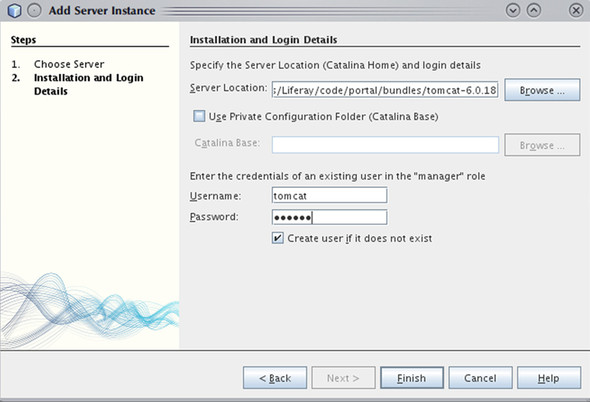
3. Click Next. In the dialog box that follows, click the Browse button and browse to the location where you have installed your Liferay bundle. Then, click Finish. The dialog disappears, and the server runtime appears in the Servers tab.
Figure A.8. One plus for NetBeans: setting up a server runtime is a lot easier than it is in Eclipse, but not any easier than Liferay IDE.
The Liferay bundle is now listed in the tree under Servers. To start it, right-click it and select Start. You should see the Liferay server console messages begin to scroll in the console window at the bottom of your NetBeans screen. When the server has completed its startup sequence, it’s marked with a green “play” icon in the Servers tree.