concept theme in category liferay

This is an excerpt from Manning's book Liferay in Action: The Official Guide to Liferay Portal Development.
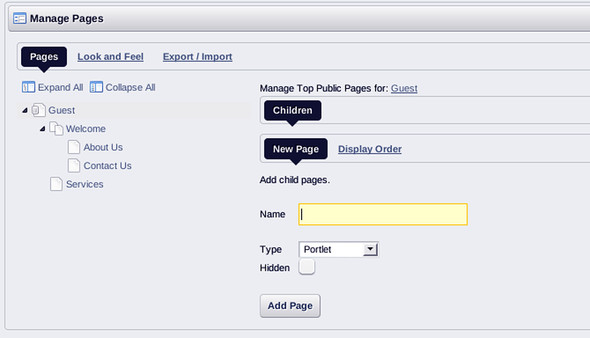
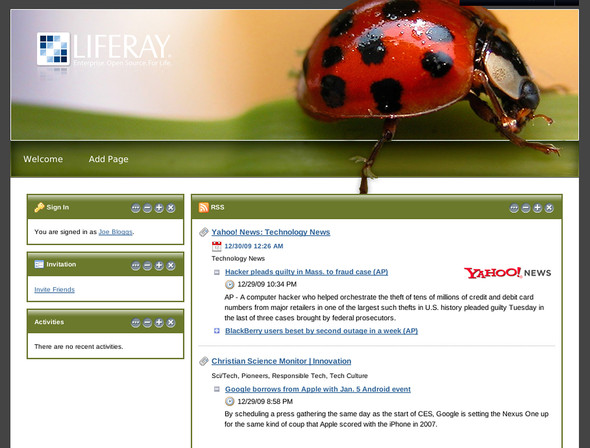
No discussion of customizing Liferay would be complete without covering themes. Using themes, you can transform Liferay’s look and feel to make it look any way you want it to (see figure 1.9). In short, Liferay can be anything you want it to be, and it can look any way you want it to look. This gives you the power and flexibility you need to build your own custom site, with the functionality you need to get it done in a timely fashion.
Figure 1.9. Liferay with a custom theme applied. This is just one of many themes in Liferay’s community repository.
You can modify Liferay’s look and feel using skills you already have. Themes are nothing more than custom HTML and CSS applied to the page. You can design your site just as you would if you were writing the whole thing from scratch—except that you have less work to do, because of Liferay’s built-in functionality and rich development platform.
Liferay also comes connected to two repositories of ready-made plugins that extend Liferay’s functionality. One of these is a Liferay-provided repository, and the other is a community repository. Figure 1.9 is an example of a theme provided by Liferay’s community through the community repository. Liferay’s repositories make it easy to both distribute and to install new software that runs on Liferay’s platform, as you can see in figure 1.10.
When you’ve designed a theme, you can implement any number of layout templates. These enable you to provide custom page layouts into which your portlets can be placed. Although Liferay ships with many layout templates included, many times when working with a particularly complex page design, only a custom layout will do.
In this chapter, you’ll learn the components of Liferay themes so you can use your artistic and design skills to make your site look—well, any way you want it to look. We’ll go over the components of a theme and show how they can be customized to create your own look and feel. You’ll also learn how to create layout templates to go with your themes that let you place portlets anywhere you want. Let’s start with a couple of examples.
Themes are plugins and are therefore hot-deployable just like portlet plugins. You can use the Plugins SDK (see chapter 2) to package a theme into a .war file just like a portlet, and this .war file can then be deployed to Liferay in the same manner you deploy a portlet.
Liferay makes writing themes as straightforward as possible. If you have experience in coding HTML, CSS, and JavaScript, you should be right at home with Liferay themes. Here’s a warning up front about this chapter: as in the previous chapters, which assumed knowledge of Java web applications, here I’m assuming knowledge of HTML, CSS, and JavaScript. If you don’t have familiarity with these technologies, there are many great books on the subject, including John Resig’s Secrets of the JavaScript Ninja (Manning, 2011) and David Flanagan’s JavaScript: The Definitive Guide (O’Reilly, 2011).
But before we get into all that complicated stuff, let’s look at the structure of a theme.