concept workflow in category liferay

This is an excerpt from Manning's book Liferay in Action: The Official Guide to Liferay Portal Development.
If you have lots of web content and wish to publish that content using a workflow or on a schedule, statically or dynamically, to staging or production, with templates or without, then you may want to check out Liferay’s CMS.
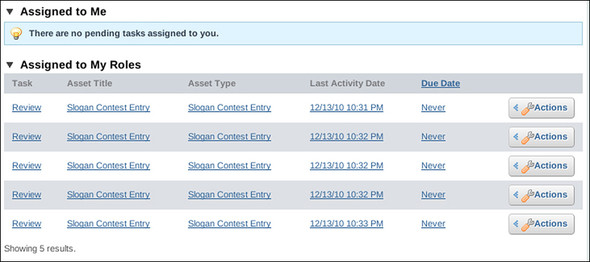
At this point, workflow is working in your portlet. You should be able to activate workflow for slogans in the workflow configuration section of Liferay’s Control Panel, as shown in figure 7.5. After it’s activated, if a slogan is submitted, the slogan won’t go right up on the web site; instead, it will show up in the My Workflow Tasks section of the Control Panel for anyone in the role who can approve this type of workflow (see figure 7.6).
If you’ve been reading this chapter nonstop until now, I recommend taking a break. Go outside, let the sun shine on your face, come back in, hit the bathroom, and maybe grab something to drink. This is an extended discussion of workflow, so it’s best to approach it fresh. Ready? Here we go.
Liferay 6 is the first version to implement a workflow service that can be used throughout the product. What’s cool about Liferay’s workflow is that it has many pluggable implementations. By default, Liferay CE ships with the Kaleo workflow engine. This is the workflow engine that Liferay provides, and it’s new as of this release. Improving all the time, Kaleo has been designed to hit the most common workflow use cases. It’s likely that you’ll be well served by Kaleo, and it’s easy to use.