concept connection in category mondrian

This is an excerpt from Manning's book Mondrian in Action.
Mondrian duly fails to create the connection, giving you a nasty-looking error stack:
If they’re writing an application using Java or some other JVM language, they can use olap4j to talk to Mondrian. olap4j works both with Mondrian configured as a web service or directly embedded within your application. Using olap4j you can also access additional functionality, such as access to the cache control service provider interface (SPI), that isn’t available when making XMLA calls from a thin client. In section 10.2 we’ll show how to use olap4j to make both types of connections.
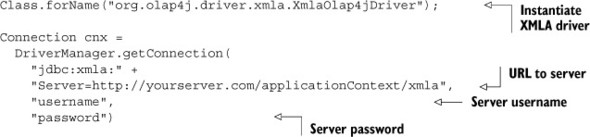
Currently two drivers are available for olap4j. The first is the XmlaOlap4jDriver that provides connections to XMLA systems. You create an instance of the driver and then a connection to the XMLA server. The server can be based on Mondrian, but it also works with Microsoft Analysis Services (MSAS) and other OLAP servers that support XMLA. Listing 10.32 shows creating the class and connecting to a remote server.
To embed Mondrian directly, you create a different driver and create a connection. Listing 10.33 shows the code needed to create the Mondrian driver and connect to the database. Note that we need to unwrap the connection to an OlapConnection before it’s ready for use. No matter which driver you choose to use, the rest of the API is now the same.