concept publishing site in category sharePoint
This is an excerpt from Manning's book SharePoint 2010 Site Owner's Manual: Flexible Collaboration without Programming.
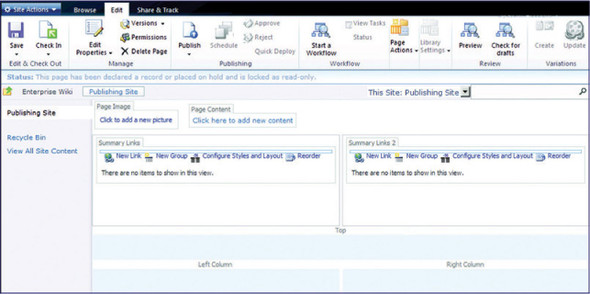
A publishing site is typically used if the process of sharing information needs to be formalized. A publishing site, regardless of it being a publishing portal, a publishing site, or a site with the publishing workflow added, will work and look like figure 3.31. A portal just means it’s a site collection with a series of publishing sites as subsites; this is typically used for public-facing SharePoint sites or internal company portals. A publishing site or a publishing site with workflow is an individual site configured with publishing rules, which allows you to work on the content in draft format before enabling end users to see the information. This is the power of a publishing site, because it allows the content editors to work on draft versions of pages, which are not visible to readers until it’s published. The page’s editing toolbar is visible in the screen shot. The site does include some lists, such as a Document and Image library for storing web-publishing assets.
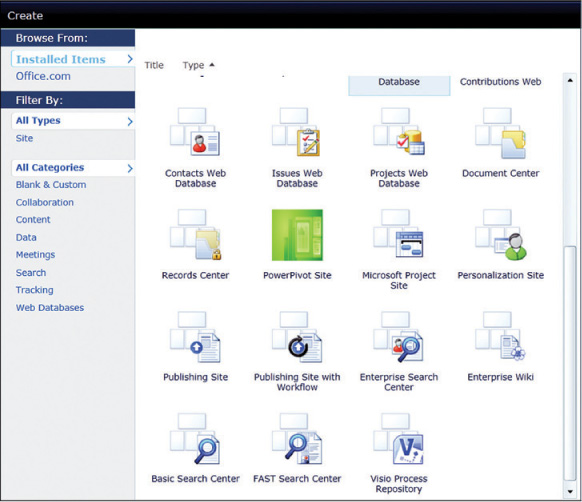
I’ll demonstrate two options for creating your first site, which you can continue using in the scenarios in part 2 of this book. The first option is a blank site, and the second is a publishing site. Both sites have advantages and disadvantages that you should consider when making a decision about which to choose. If you don’t have SharePoint Server, the decision is made for you; you have to use the Blank Site template because the publishing site is available only with SharePoint Server. Figure B.3 shows several of the options that you might see when creating a site if you’re using SharePoint Server. Chapter 3 discusses the different templates, what they can do, and what version of SharePoint they’re associated with.