Chunking divides a large task or body of content into smaller, manageable units. In mobile forms, it reduces overload, clarifies progress, and helps users focus on one step at a time. section 6.5.1
Use chunking to make long mobile tasks clearer and easier to recover from:
- Separate payment, shipping address, and shipping options into individual screens. section 6.5.1
- Show users where they are and provide clear controls to move backward or forward. section 6.5.1
- Keep errors local to the relevant step so users can fix one problem without scanning a full form. section 6.5.1
A manageable checkout
Instead of placing payment and shipping fields on one long page, guide the user through payment, shipping address, and shipping options as separate steps. section 6.5.1
Figure 6.28 Break up larger task flows into individual pages when possible and indicate where users are in the flow to keep the task manageable.
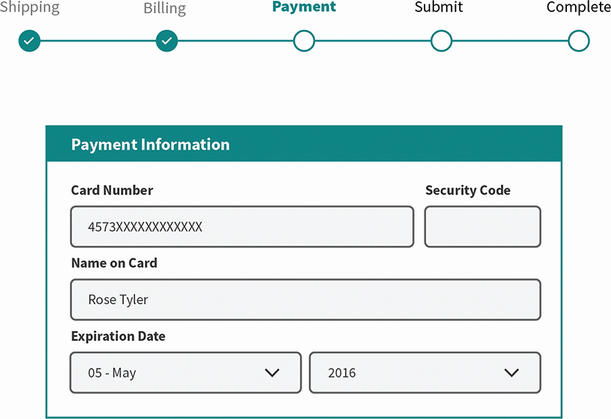
Use the flow illustration to compare a large task with a sequence of individual pages and visible progress. section 6.5.1




