An accessibility overlay is a third-party script that adds an on-page interface with features such as contrast adjustments, text resizing, spacing controls, or a built-in screen reader. It may offer small improvements, but it cannot remove barriers in a site’s underlying code and may interfere with assistive technology a person already uses. section 2.4 section 2.6
Figure 2.1 Accessibility overlays are added to websites by developers and are typically activated by users using a toggle icon at the left-hand corner of the screen. These would, in turn, display a configuration overlay containing various accessibility features, such as text resizing, a screen reader, and others.
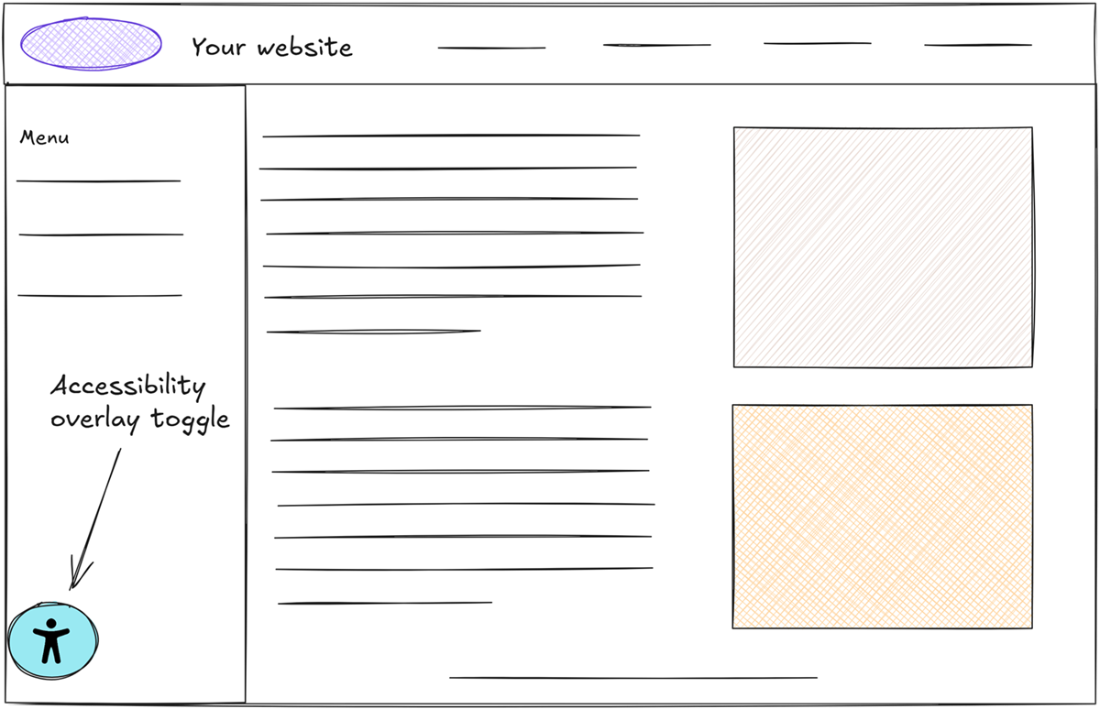
The figure illustrates how a user activates an overlay and opens its configuration options. section 2.4
A second layer of interpretation
An overlay may add a built-in screen reader, but a visitor may already use assistive technology. Like two translators speaking at once, the tools can interfere rather than help. A feature panel does not make an inaccessible task possible if the underlying page still blocks it. section 2.4
Build accessibility into the interface instead of relying on a patch. Start with clean, purposeful semantic HTML; use ARIA when native elements do not meet complex interface needs, while still providing the correct structure and keyboard behavior. section 2.6
