ACCOUNTADMIN is Snowflake’s top-level built-in role for account configuration, monitoring, and maintenance. Its privileges cannot be revoked, so reserve it for administration rather than routine development or pipeline object creation. section 10.1.1 section 2.1
Use ACCOUNTADMIN selectively:
- Use it to obtain Snowflake Marketplace data when CREATE DATABASE and IMPORT SHARE privileges are required. section 8.1
- Do not create objects or issue grants with it; ownership can make later management through another role difficult. section 10.1.1
- Prefer SYSADMIN for databases, schemas, warehouses, and other account objects, or use a custom role with narrowly assigned privileges. section 8.1 section 2.1
Getting Marketplace data
In Snowsight, select ACCOUNTADMIN, open Data Products > Marketplace, filter for “Instantly Accessible,” and search for “retail.” Select “Sample Harmonized Data for Top CPG Retailers and Distributors,” specify a database name such as CPG_RETAILERS_AND_DISTRIBUTORS, and choose additional roles that may access it. section 8.1
Figure 8.1 Search screen on the Snowflake Marketplace, displaying listings after filtering for “Instantly Accessible” and typing “retail” in the search box
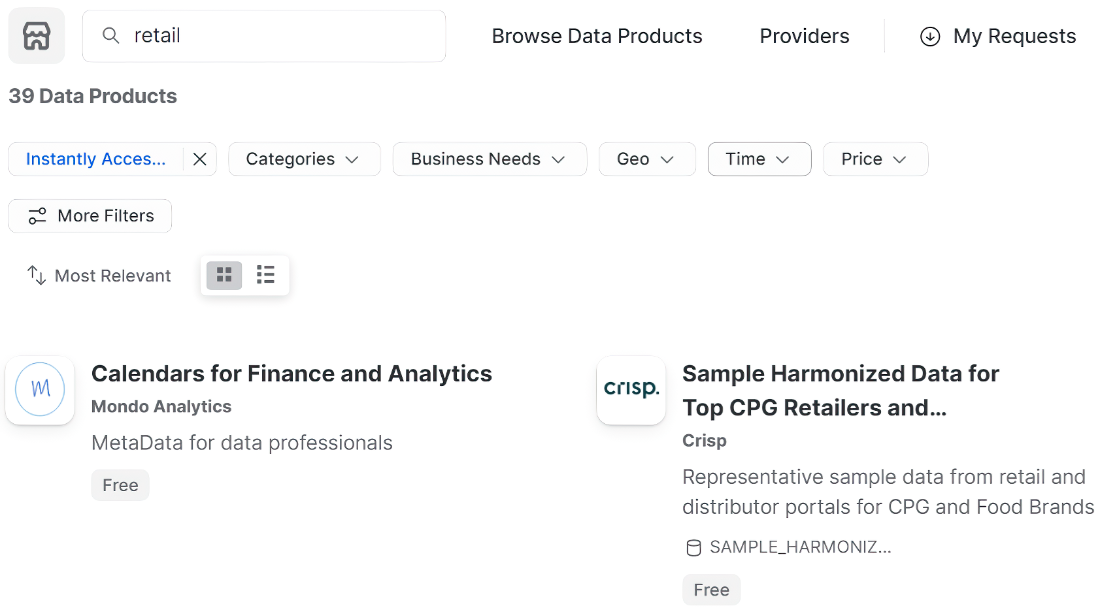
Use the Marketplace search view to locate instantly accessible listings before configuring database access. section 8.1
Figure 8.2 Snowflake Marketplace window where we specify the database name and the roles that can access the database before clicking the Get button to get the data into our Snowflake account
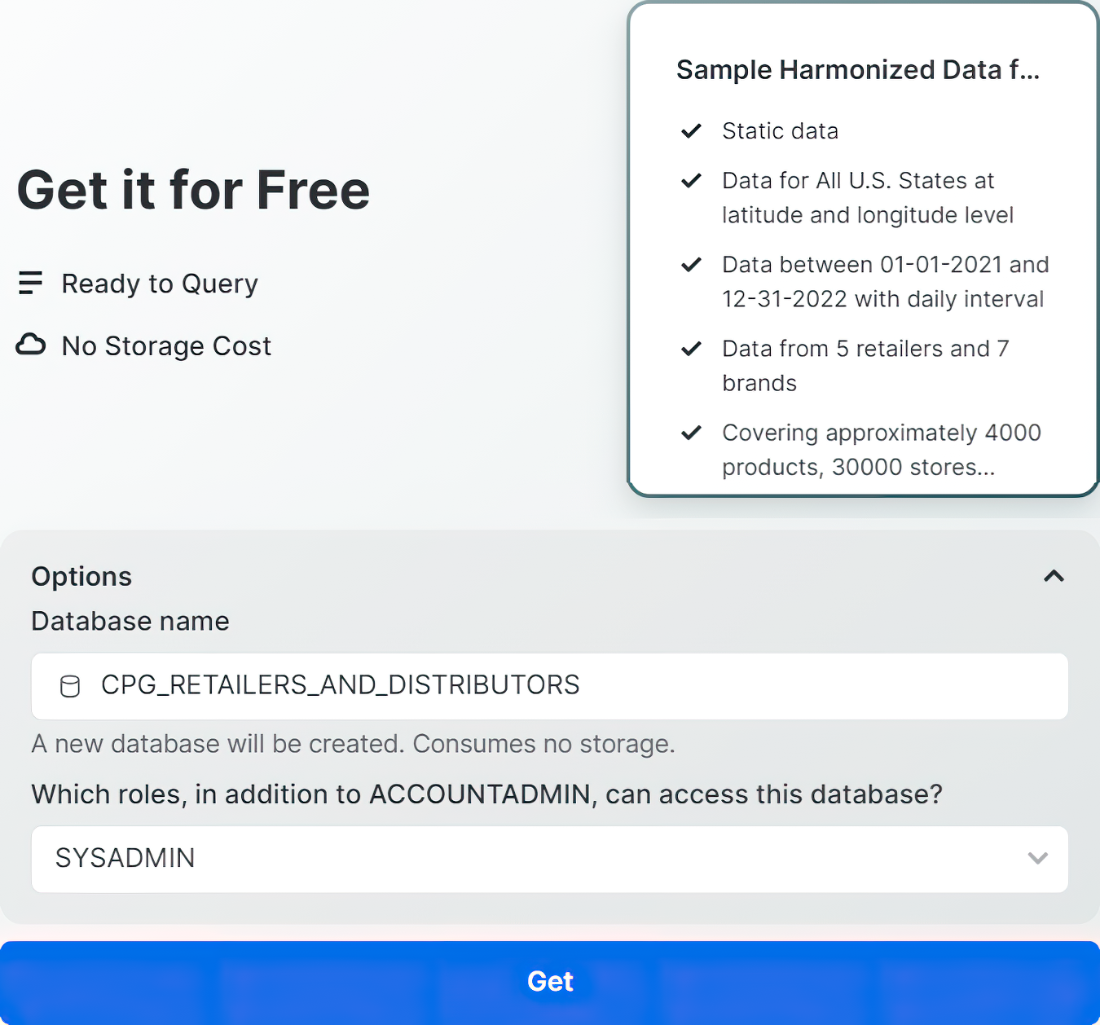
Use the listing configuration view to specify the destination database and roles that can access the imported data. section 8.1
