An action group is an Azure Monitor configuration that collects notification preferences and automated actions for an alert. When a condition fires, it can contact people by email, SMS, or mobile push, or call a webhook. section 11.6.2 section 3.6.3
Use an action group while creating an alert:
- Open the alert rule’s Actions step and choose Add Action Group. section 3.6.3
- Create or select a group, give it a name, and define its notification or automation actions. section 3.6.3 section 11.6.2
- Attach the group to an alert so the configured recipients or endpoint respond when the condition is triggered. section 3.6.3 section 11.6.2
A CPU alert that gets attention
A smart VM CPU alert can use an action group to notify an operator by email, SMS, mobile push, or webhook when Azure detects an abnormal CPU pattern. A Cosmos DB alert can instead reference the group from a CLI command when average request-unit consumption exceeds 900. section 3.6.3 section 11.6.2
Figure 3.39 Create a new action group with a notification type.
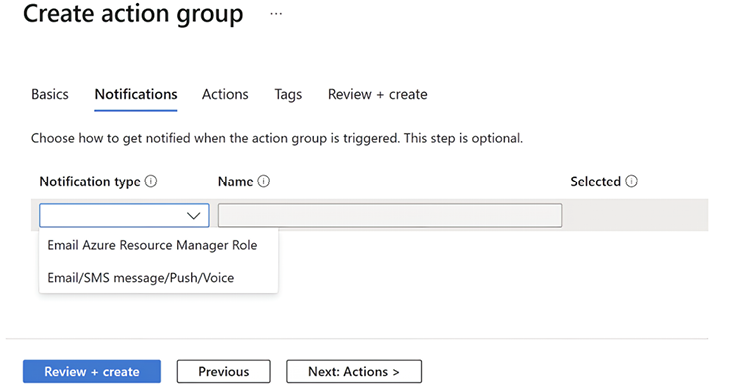
View the alert wizard’s action-group screen, where a notification type is selected while creating the group. section 3.6.3
