A metric alert watches a real-time numeric measurement and raises a notification when that measurement meets a configured condition. It is useful for spotting trouble early, such as CPU usage exceeding 85 percent for 10 minutes or Cosmos DB request-unit consumption approaching its limit. section 3.6.3 section 11.6.2
A useful metric alert configuration answers four practical questions:
- Which resource and metric should be watched? Examples include a virtual machine’s CPU percentage, disk queue length, network throughput, or a Cosmos DB account’s request-unit consumption. section 3.6.3 section 11.6.2
- What condition triggers the alert? A rule can compare an aggregated metric, such as average total request units, with a threshold. section 11.6.2
- How long and how often should Monitor evaluate it? A five-minute window evaluated every minute separates a brief blip from a sustained concern. section 11.6.2
- Who or what responds? An action group can notify people or trigger actions such as a webhook, Azure Function, or automation runbook. section 3.6.3 section 11.6.2
Cosmos DB request-unit alert
An operations team can create a rule named “High RU Consumption” for a Cosmos DB account. The rule checks whether average total request units exceed 900 during a five-minute window, evaluates every minute, and notifies an action group. This gives the team time to scale or optimize before usage reaches its provisioned limit. section 11.6.2
Figure 3.36 Create an alert rule in Monitor.
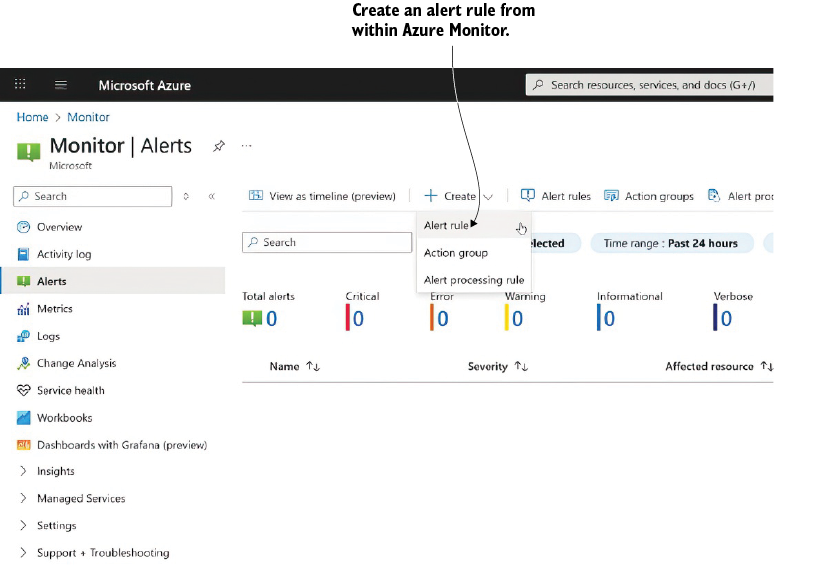
Use the Monitor alert-rule walkthrough to follow resource selection and alert creation in the Azure portal. section 3.6.3
