liveBook · Manning

Add page

As explained in Django in Action

An add page is a Django Admin page containing a form for creating a new database object.

An add page is a Django Admin form for creating a new database object. It belongs to the standard CRUD set: listing, change, add, and delete pages. section 5.1.3

Register a model with an admin.ModelAdmin class, and Django supplies the add page alongside the other administrative screens. The default class can remain empty. section 5.1.3

Adding a Musician

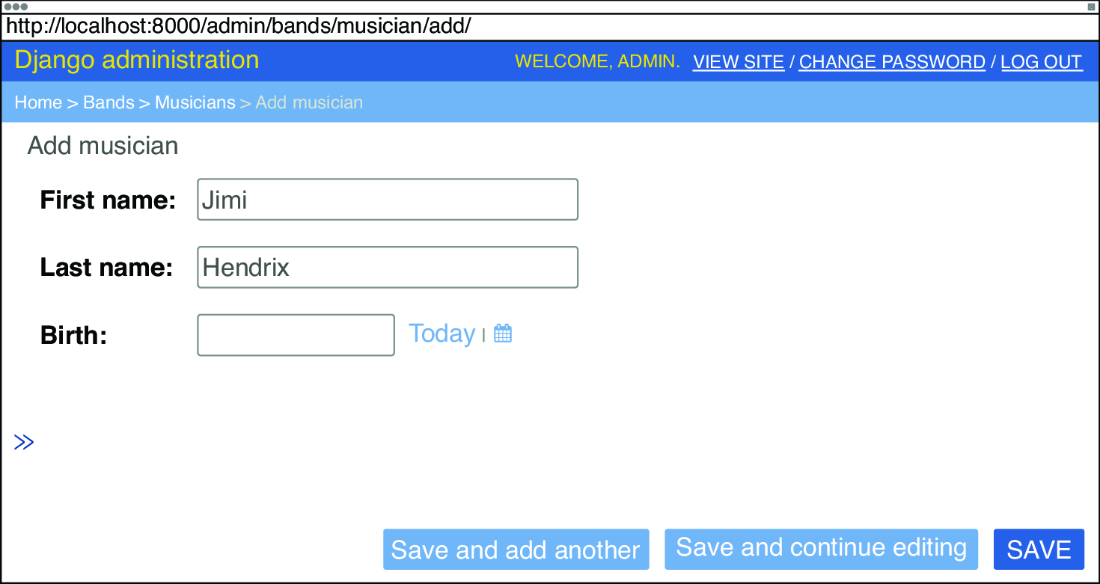
In RiffMates, registering Musician with MusicianAdmin adds a Bands admin section containing a link to add a Musician object. Selecting it opens the Add Musician page. section 5.1.3

Figure 5.6 Add Musician page
figure

Use the Add Musician page view to see the concrete administrative form produced for a registered model. section 5.1.3

How Django in Action covers it

How deep it goes
Explains the page’s place in Django Admin’s CRUD screens but does not detail form internals.
Examples
Uses the Musician model, MusicianAdmin class, Bands admin section, and Add Musician page.
What it assumes
Assumes a model is registered with an admin.ModelAdmin class.
What you can do after
Operate Django Admin to create new objects for a registered model.
How it connects
Connects Django Admin, ModelAdmin registration, models, and CRUD operations.

Related concepts

This explainer was generated by Manning's knowledge graph from the text of Django in Action. The section links point to the parts of the book it draws on.