Aider is a terminal-based AI coding assistant for managing project structure, dependencies, and code changes through natural-language instructions. It works directly with Git repositories and can coordinate edits across multiple files, making it useful for prototypes and larger application structures. section 11.7 section 12.2.1
Aider supports practical development tasks through:
- File-specific editing, multifile changes, repository mapping, and in-chat commands such as /add, /run, and /model. section 12.2.1
- Natural-language requests to add features, fix bugs, refactor code, update documentation, or build applications from basic descriptions. section 11.7 section 12.2.1
- Automatic synchronization when files change outside the AI session, keeping suggestions aligned with the current project. section 11.7
- Automatic Git commits with descriptive messages, plus voice-to-code support for editing requests. section 12.2.1
Create a PowerShell module
A request such as “Create a PowerShell module that outputs ASCII ghosts. Use a module manifest.” can produce both the module and manifest files, along with a function that displays ASCII ghost art. Review the generated files before using them. section 11.7
Aider can speed up coding, but generated suggestions still require review for bugs and performance problems. Learning its commands and setting up API keys takes time. Git integration is convenient but can occasionally replace newer code with older versions; discard the changes and retry when that occurs. section 11.7 section 12.2.1
Figure 11.7 Aider in the terminal
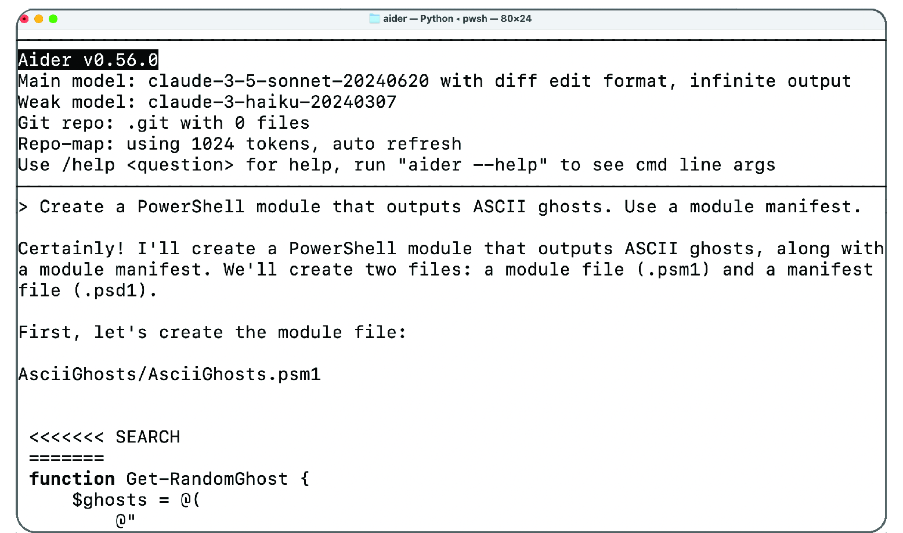
View the terminal workflow used to create the PowerShell module and its manifest. section 11.7
