A 3D model on a web page is something you look at on a screen. Augmented reality (AR) takes the next step: it lets a virtual object appear in a view of the real world. Unlike virtual reality, which fills your view with a virtual scene, AR keeps the physical surroundings in view. section 15.0 section 15.2
For a web page that already previews a 3D model, Google’s model-viewer component offers a compact starting point. Give the element a model with `src`; the AR example also supplies an iOS model with `ios-src`. You can work with the model-viewer element without first writing the rendering code behind it. section 15.2 section 15.0
Listing 15.6. AR with the model-viewer component
<model-viewer src="Astronaut.glb"
             background-color="#45aa22"
             ios-src="Astronaut.usdz">       #1
</model-viewer>
Compare `src="Astronaut.glb"` with `ios-src="Astronaut.usdz"`: the short element shows the model assets supplied for the AR example. section 15.2
What does the change in setting look like? An ARCore example places a virtual object in the real world. That is the useful distinction to keep in mind when moving from an onscreen model preview to AR: the object is no longer viewed only against the page’s background. section 15.2
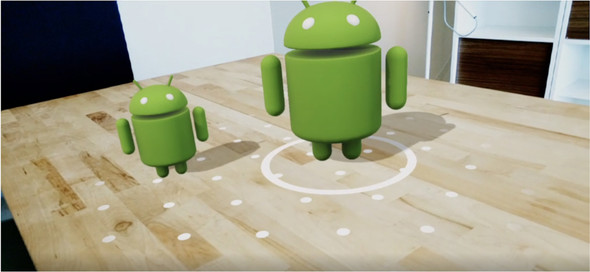
The ARCore figure illustrates the real-world placement described above. section 15.2
