An AWS account is an isolated container for your cloud resources, billing information, and access identities. It includes resources such as EC2 instances and CloudFormation stacks, and it provides a root user with unrestricted access. section 1.8 section 5.3
Create an account by completing these steps:
- Provide a globally unique account name, email address, and strong root-user password. section 1.8.1
- Enter contact and payment details, then verify your identity by text message or telephone. section 1.8.1
- Choose a support plan; the Basic plan is free, while production workloads are advised to use at least the Developer plan. section 1.8.1
- Use separate AWS accounts to isolate different workloads when appropriate, while remembering that existing accounts may not receive Free Tier coverage. section 1.8
Treat the root user as an emergency identity rather than a routine login. Create IAM users with only the permissions required for their roles, and enable multifactor authentication for the root user to reduce the risk of data theft, deletion, or unexpected usage. section 5.3
Figure 5.4 An AWS account contains all the AWS resources and comes with an AWS account root user by default.
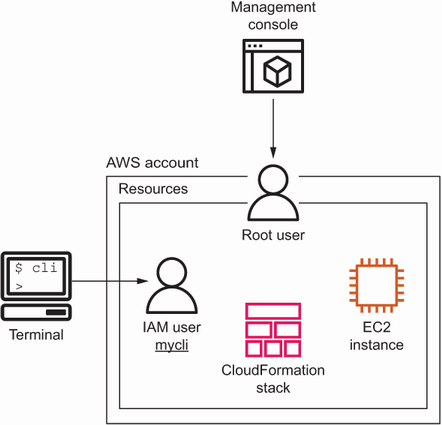
Visualizes the account boundary, its resources, and its default root user. section 5.3
