A security best practice is a generally accepted recommendation for reducing risk through secure configuration, design, and operational controls. Treat it as an evolving discipline rather than a one-time task: secure Azure workloads, monitor for compromise, investigate and respond, then apply lessons learned to future deployments. section 1.3
Public-cloud controls differ from traditional on-premises controls. Internet-reachable management interfaces can expose resources to compromise, after which attackers may pursue lateral movement across identities, databases, storage, IoT devices, and other resource types. section 1.5
Apply security best practices as layered controls:
- Use Azure Policy as a guardrail so deployed resources follow security best practices and organizational business rules. section 1.8.3
- Use Microsoft Defender for Cloud to detect noncompliant configurations and, in some scenarios, automatically remediate them. section 1.8.3
- Use Microsoft Defender for Cloud and Microsoft Sentinel to detect suspicious activity and respond when attackers move laterally. section 1.8.3
- Review incidents and external security advice, then update practices so future Azure resources are deployed more securely. section 1.3
Figure 1.1 Improving an organization’s security posture can be seen as an ever-evolving and ever-changing cyclical process.
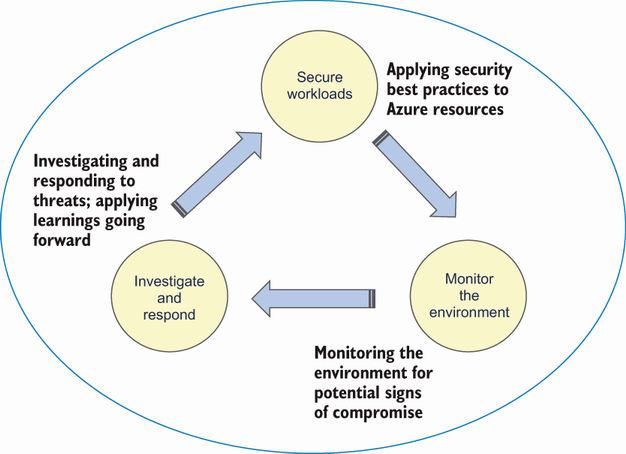
Use the cycle to relate workload hardening, monitoring, investigation, response, and continuous improvement. section 1.3
